
Subanana
AI transcription, subtitles and live multilingual captions for events
Freemium · Free plan · Free trial
Category
In-person, Virtual, Hybrid
Event formats
Startup, Mid-market
Company size fit
Subanana is an AI subtitling and transcription service that also offers live event captions with real-time translation into up to five languages at once. Attendees follow captions on their phones via QR code while organisers can project them or feed them into OBS, vMix or ProPresenter. It also handles post-event subtitles, transcripts and meeting notes in 95+ languages.
subanana.comVisit ↗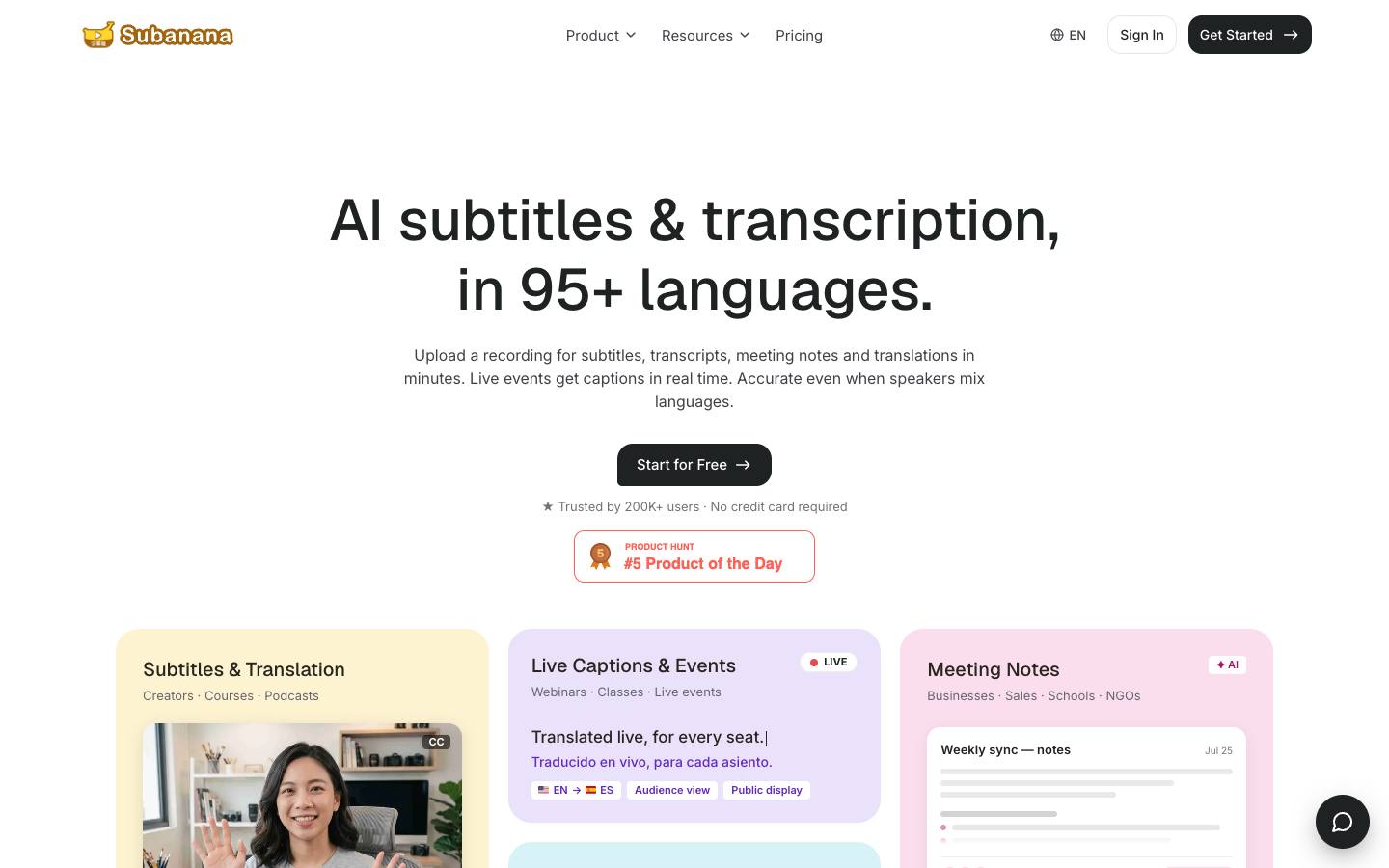
At a glance
- CRM
- –
- Security
- SOC 2 Type IInot foundISO 27001not foundGDPRnot foundSAML SSOdocumentedDetails
- Product updates
- 9 in the last 90 days · latest 2026-10-12 · Changelog ↗
Who it's for
- Organisers of multilingual conferences needing live captions without interpreters
- Event and webinar teams subtitling session recordings afterwards
- SMB
- Mid-market
- Conferences
- Webinars
- Hybrid events
- User conferences
How much does Subanana cost?
- Starting price
- $9/month (Lite)
- Pricing model
- Freemium
- Free plan
- Yes
- Free trial
- Yes, 5 minutes of live event captions
Live Event Captions are a five-minute trial on lower tiers and included in Max ($50/month); Team plans with SSO are quoted.
Published plans
- 15 min per project
- No card required
- 5 min event captions trial
- 720 min a year
- 100GB cloud storage
- 3 glossary lists
- 2,160 min a year
- 500GB cloud storage
- 10 glossary lists
- 7,200 min a year
- Unlimited storage
- Unlimited glossary lists
- Shared workspace
- Centralized billing
- SSO/SAML available
Free plan available · From Subanana's pricing page, checked 2026-10-18. Prices can change; confirm with the vendor.
Strengths and considerations
What stands out
- Attendees choose their own caption language on their own device
- Low self-serve pricing compared with human captioning
Worth checking
- Accuracy depends heavily on room audio and microphones
- Customer logos aren't tied to event use cases
- Legal entity and security certifications not stated on the site
Key features
- Live event captionsReal-time captions with up to five simultaneous translation languages chosen by each attendee.
- Multi-output displayCaptions on attendee phones, a projector window or a streaming-software browser source.
- Glossaries and contextCustom glossaries and uploaded agendas improve names and terminology.
- Subtitles and transcriptsSpeaker-labelled transcripts and subtitles exported in common formats.
- Meeting notesNotetaker bot for Zoom, Teams and Meet.
Integrations
- Zoom
- Microsoft Teams
- Google Meet
- OBS
- vMix
- ProPresenter
- YouTube
Live captions go to attendee phones by QR code or link, to a projector window, or into streaming software as a browser source; no CRM, MAP or Zapier connectors.
Security & IT pre-check
What Subanana publicly documents on its own website, checked 2026-10-18. "Not found" means we couldn't find it on public pages; many vendors share documents on request or under NDA.
- SOC 2 Type II: not found
- SOC 2 Type I: not found
- ISO 27001: not found
- GDPR compliance: not found
- Data processing agreement (DPA): documented · source
- CCPA / CPRA: not found
- PCI DSS: not found
- Subprocessor list: documented · source
- EU data hosting: not found
- HIPAA: not found
- SAML single sign-on: documented · source
- SCIM user provisioning: not found
- Public API: not found
- Webhooks: not found
- Accessibility report (VPAT/ACR): not found
- Accessibility statement: not found
- Trust center: not found
- Public status page: not found
- Published pricing: documented · source
- Public changelog: documented · source
Buying details
From Subanana's own website, checked 2026-10-18.
- Event formats
- In-person, Virtual, Hybrid
- Implementation
- Self-serve; sign up and share a QR code or link
- Support
- Help center and contact form; dedicated success manager and SLAs available on Team
- Contract
- Month-to-month or yearly
- Languages
- English
AI capabilities
- Speech recognition with per-language model selection
- AI proofreading that flags segment-level fixes for approval
- Context-aware translation across the full transcript
Questions to ask in a Subanana demo
5 questions
Written by our editors from the vendor's public information. Use them to get specific answers before you sign.
- 1. Which plan do we need for full live event captions, and what limits apply to session length or attendee count on the Max plan?Why ask: Live Event Captions are only a five-minute trial on lower tiers and included in Max at $50 per month. source
- 2. What legal entity would we contract with, and what security certifications or DPA can you provide?Why ask: The legal entity and security certifications aren't stated on the site.
- 3. What microphone and audio setup do you recommend for in-room events to keep accuracy acceptable?Why ask: Accuracy depends heavily on room audio and microphones.
- 4. Can you share examples of customers using Subanana for live conferences rather than meetings?Why ask: Customer logos aren't tied to event use cases.
- 5. Does AI proofreading work live during a session, or only on transcripts afterwards?Why ask: AI proofreading that flags segment-level fixes for approval is listed.
Subanana alternatives
Ranked by how closely each product matches: the problems it solves, company sizes and event programs it serves, and shared integrations.
 spf.ioAI for events
 WordlyAI for events
 AccessLOOPInterpreting & captioning
 AkkaduInterpreting & captioning
 SnapsightAI for events
 KUDOInterpreting & captioning
 SyncWordsInterpreting & captioning
 VerbitInterpreting & captioning
 LiveVoiceInterpreting & captioning
 MyClearTextInterpreting & captioning
Company backgroundFunding, leadership, launches and news
Company details
- Languages:
- 95+ transcription languages
More on Subanana
Featured in buyer's guides
Event programs it fits
Category and key terms
Compare Subanana
Subanana FAQ
What is Subanana?
How much does Subanana cost?
What does Subanana integrate with?
What are the best Subanana alternatives?
Is Subanana SOC 2 compliant?
Last verified 2026-10-18. How we research. Sources: subanana.com