Best Run of Show Software in 2027: The Buyer's Shortlist
By EventMarketingSoftware.com · Published November 24, 2026 · 8 tools compared
Rundown Studio is the best run of show software for most B2B event teams: cue times recalculate when a segment runs over, guests are unlimited and one show costs $25. Ontime is the free, self-hosted option with stage timers built in. LASSO's Shoflo Rundown and Script Elephant suit production companies and scripted shows, and Stagetimer keeps speakers on time.
Our top picks
- 1
 Rundown StudioBest for show callers and producers who want a live, auto-timed rundown at a per-event priceFrom $25/event
- 2
 OntimeBest for AV and production teams that want a free, self-hosted rundown with stage timers and show-control protocolsFrom $20/month
- 3
 LASSOBest for production companies and busy in-house teams that want the Shoflo rundown with a prompter add-onFrom $1,099/yr (Rundown module)
Key takeaways
- Every pick here publishes a price. Entry points run from free (Ontime self-hosted, Rundown Studio Solo, Stagetimer Starter and CueForge Free) to $25 per event for Rundown Studio, $649 per production for Script Elephant and $1,099 a year for LASSO's Rundown module (checked November 2026).
- Timing that ripples is what separates software from a spreadsheet. Rundown Studio, Ontime and LASSO's Rundown recalculate every later start time when a segment runs long, and all three show the crew how far ahead or behind the show is running.
- The billing unit differs more than the price. Rundown Studio never charges for guests, Ontime Cloud, Script Elephant, Joi and MergeLabs include unlimited users, LASSO bills by active user, and Stagetimer prices by members and live connections. Count everyone who needs to see the show, including freelancers and clients, before you compare.
- Show-control integrations are concentrated in three tools. Ontime supports OSC, HTTP and WebSocket and has a Bitfocus Companion module, Rundown Studio has a Companion module, a public API and setup guides for OBS Studio, ProPresenter and QLab, and Stagetimer adds a Companion module, an API and NDI output for vMix and OBS. If you need to control a specific switcher or media server, ask how the tool reaches it.
- Offline and self-hosted options exist if venue internet worries you. Ontime runs on your own Windows, macOS, Linux or Docker machine at no cost, Stagetimer's desktop app works without internet and has a $980 lifetime license, and Script Elephant offers private deployment on its Enterprise plan.
Free tool: Run of show builder. A free run of show template and builder for a single show: start times update when you reorder or resize a segment, with presets for keynotes, webinars, field events and executive dinners, a share link, CSV export and a print view.
Side-by-side comparison
The same criteria for every pick: automatic timing, live show calling and sync, timers, prompter and role views, show-control integrations, offline and self-hosted options, published pricing. A dash means the vendor doesn't publish it.
| Tool | Starting price | Free plan / trial | CRM | Capterra | App Store | Security |
|---|---|---|---|---|---|---|
| Rundown Studio | From $25/event | Free plan | – | – | – | – |
| Ontime | From $20/month | Free plan | – | – | – | DPA |
| LASSO | From $1,099/yr (Rundown module) | – | – | – | – | – |
| Script Elephant | $649 per production | Free trial | – | – | – | – |
| Stagetimer | $210/yr (Pro) | Free plan | – | – | – | – |
| CueForge | From $15/month | Free plan, Free trial | – | – | – | – |
| Joi | From AUD 50/month | Free trial | – | – | – | – |
| MergeLabs | $1,000 per event or $5,000/yr | – | – | – | – | – |
This guide covers the production document, not the public agenda. A run of show, also called a show rundown, cue sheet or show flow, is the minute-by-minute plan the show caller, stage manager and AV team work from during the event. If you're building the attendee-facing program with tracks, rooms and speakers, our agenda builder software guide covers that.
We compared eight tools using vendor pricing pages, product documentation and our own vendor profiles. Every price here was checked on the vendor's own page in November 2026.
Who this guide is for. This guide is for B2B event marketers, producers, show callers, stage managers and AV leads who run keynotes, general sessions, sales kickoffs, award nights, town halls and hybrid broadcasts. It's most useful when more than one person needs the same live document: a caller advancing cues, operators watching their own columns, a speaker watching a countdown and a client following along. If you're timing one simple session, a spreadsheet or our free run of show builder is enough.
Not sure which one fits your team?
Answer a few questions about your events, team and CRM and get a free shortlist of tools that fit, with pricing and security details side by side.
Get a free shortlistThe best run of show software in 2027
We picked eight run of show tools and ordered them by fit for the main job: building a cue-by-cue rundown and running it live for a conference general session or corporate show. The first five are built for the production team on show day, with live timing, timers or a prompter, and the last three build the document before the show or cover wider event operations. For each, check how timing updates, who can see what, how it connects to your production gear and what the billing unit is. The list is short on purpose, because few products in our directory do this job.
1. Rundown Studio, best for show callers and producers who want a live, auto-timed rundown at a per-event price
- Price
- From $25/event
- Try it
- Free plan
- Languages
- English
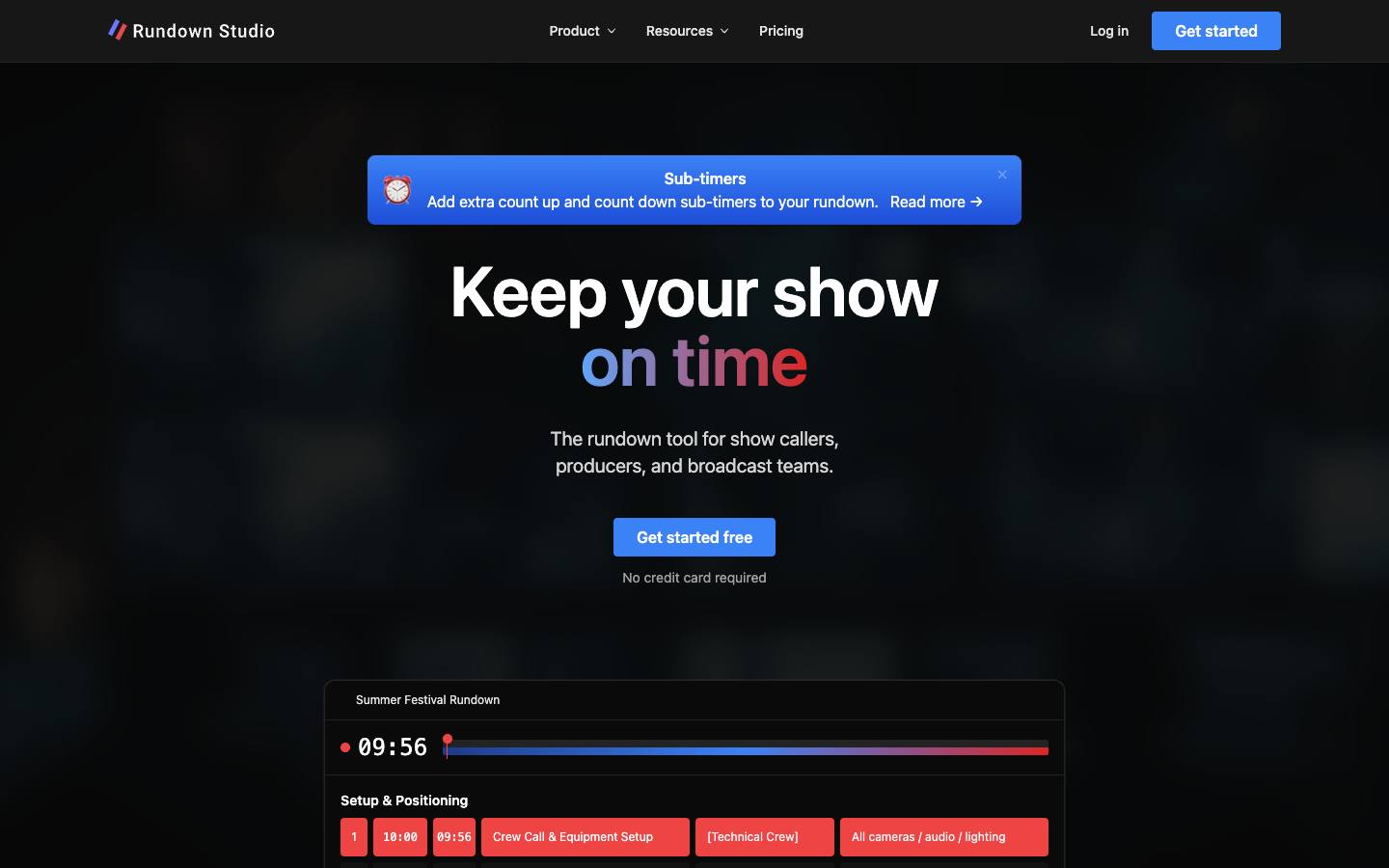
Rundown Studio is browser-based rundown software for show callers, producers and broadcast teams. You enter a duration for each cue and every later start time updates, and during the show the rundown follows the caller, scrolling each connected device to the active cue. A teleprompter is built in and synced to the rundown.
More on Rundown StudioLess on Rundown Studio
HQ: Malmö, Sweden · Team: 2-10 people · Formats: In-person, Virtual, Hybrid
Pricing is on its homepage (checked November 2026). The free Solo plan has one team member, limited rundowns and read-only guests, with the prompter, API control, CSV import and PDF and CSV export included. The Event plan is $25 per event for 10 days, with a 20-day option, and adds a second team member, unlimited rundowns and guests who can edit. The Team plan is $600 a year. Guests are unlimited on every plan, education and nonprofit users get 50% off, and there's a 30-day refund.
On show day, the caller starts the show, advances or skips cues, nudges the current cue in steps from 10 seconds to 10 minutes and sees over and under times. Read-only links can be limited to chosen columns, which works as a client or department view. An official Bitfocus Companion module puts cue controls on a Stream Deck, and a public HTTP API and WebSocket feed drive graphics, with setup guides for OBS Studio, ProPresenter, QLab and Softron OnTheAir Video. Rundown data is stored in EU regions. The gaps: it's cloud only, login has no two-factor authentication, and the only security certifications cited belong to its hosting providers.
- Companion module, public API and WebSocket
What stands out
- $25 per event, plus a free Solo plan
- Start times recalculate as durations change
- Built-in teleprompter synced to the rundown
Worth checking
- Cloud only, with no offline or self-hosted version listed
- No two-factor authentication
Best suited for. Rundown Studio fits in-house event teams, freelance show callers and small production companies running general sessions, town halls and hybrid broadcasts. Teams that need the show to run with no internet should look at Ontime or Stagetimer's desktop app.
2. Ontime, best for AV and production teams that want a free, self-hosted rundown with stage timers and show-control protocols
- Price
- From $20/month
- Try it
- Free plan
- Languages
- English
- Security
- DPA
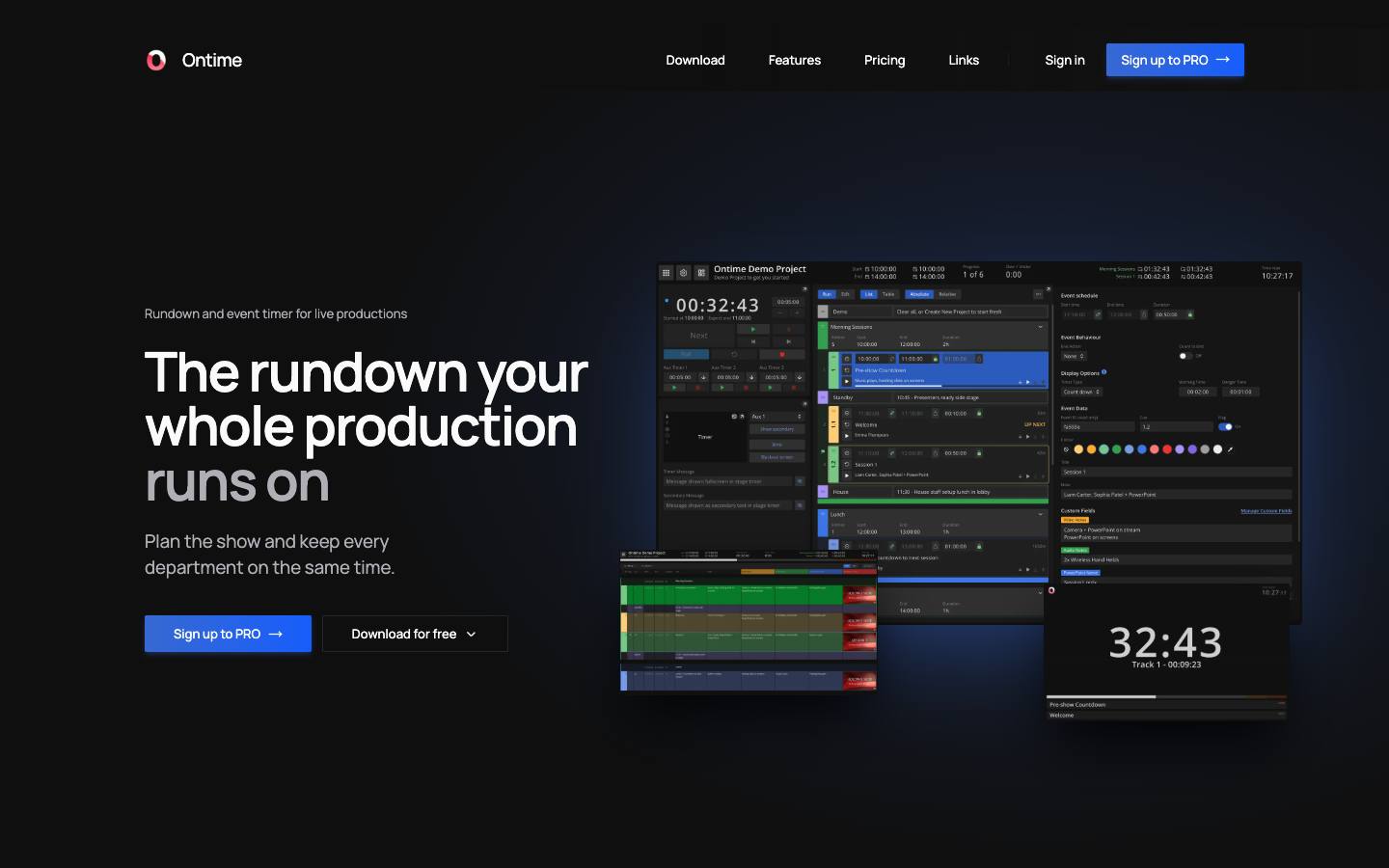
Ontime is an open-source rundown and event timer for live productions, started in Norway in 2021. One shared rundown drives every screen: an editor and cuesheet for the production team, an operator view, and automated stage timer, backstage, countdown, studio clock and timeline views that open in any browser.
More on OntimeLess on Ontime
Founded: 2021 · HQ: Norway · Formats: In-person, Hybrid
The self-hosted version is free and fully featured, and it runs on Windows, macOS, Linux or Docker, so a show can run on a local network. Ontime Cloud is the hosted option (checked November 2026): PRO is $20 a month for 3 simultaneous stages, stable public links, unlimited team members and email support, and STUDIO is $80 a month for 10 stages, project checkpoints, an archive and direct support. Project files move between cloud and local installs.
You can import a schedule from Excel or Google Sheets, group cues into acts or panels, add custom fields per department and share a cuesheet link so each team edits only its own columns. When a segment runs over, the delay flows through the rest of the rundown and shows on every connected display. For show control it offers OSC, HTTP and WebSocket APIs and a Bitfocus Companion module, automations can send HTTP or OSC messages as cues change, and an MCP server lets AI assistants build and check rundowns. Testimonials on its site come from World Athletics and Webedia Germany. The trade-offs: a teleprompter isn't among its views, the free version relies on documentation and a Discord community, and no security certifications are published.
- Cloud from $20 a month with unlimited team members
What stands out
- Free and open source to self-host
- Stage timer, backstage and countdown views from one rundown
- OSC, HTTP and WebSocket APIs plus a Companion module
Worth checking
- Free version has community support only
- No teleprompter or security certifications listed
Best suited for. Ontime fits AV companies, venues and in-house production teams that want the rundown and timers on their own network at no license cost. Marketing teams with no technical crew will find a hosted tool such as Rundown Studio or Ontime Cloud easier to start with.
3. LASSO, best for production companies and busy in-house teams that want the Shoflo rundown with a prompter add-on
- Price
- From $1,099/yr (Rundown module)
- Languages
- English
- Customers include
- BYU Athletics, Clemson University Athletics, UCF Knights
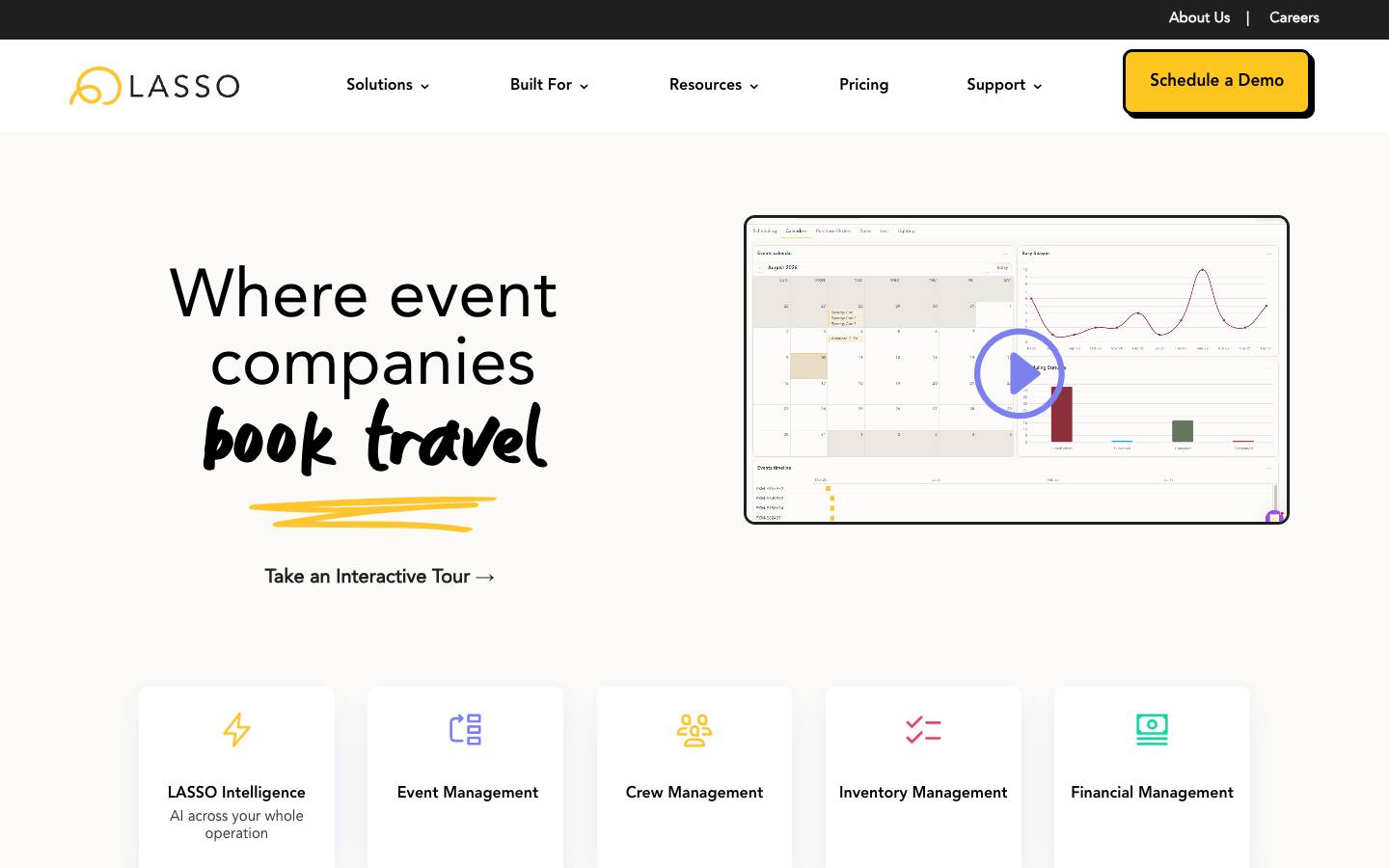
LASSO is a Nashville operations platform for event production companies, covering crew scheduling, payroll, inventory and quoting. It acquired Shoflo in June 2025, and Shoflo Rundown is now its cue sheet and run of show module, with its own published pricing.
More on LASSOLess on LASSO
HQ: Nashville, Tennessee · Formats: In-person, Hybrid
Rundown works like a spreadsheet: rows and columns drag and drop, each item gets a duration, and timing recalculates as the show moves. Show Caller Tracking keeps crew devices on the caller's position, over and under time is tracked, and a Timer View can be sent to other devices so speakers see their time. Guest Pass links share a rundown with custom viewing permissions, role-based access controls limit what each user can do, and shows export to PDF, XLS and CSV.
Rundown pricing is listed separately from the rest of LASSO (checked November 2026). A 1-user license is $1,099 a year, 5 users $4,150 and 15 users $7,299, each with unlimited events, unlimited Guest Pass viewers, chat support and a one-hour onboarding session. Extra active users are billed per day, from $1.50 to $3.50 depending on the plan. Prompter and the Global Elements Manager, which reuses segments such as sponsor reads across shows, are add-ons at $1,250 a year each, and SSO is priced on request. LASSO names Freeman, 4Wall and the University of Michigan as customers. We didn't find an API or show-control integrations for Rundown, and the annual price is high for a team with one or two shows a year.
- Prompter add-on tied to the rundown
What stands out
- Show Caller Tracking syncs crew devices
- Unlimited events and Guest Pass viewers
- Timer View for speakers
Worth checking
- From $1,099 a year, with extra users billed per day
- No API or show-control integrations listed
Best suited for. LASSO fits production companies, sports and university teams and corporate event teams that call shows most weeks and want the tool formerly sold as Shoflo. Teams with a few shows a year will pay less with Rundown Studio's per-event plan.

4. Script Elephant, best for scripted general sessions and award shows that need the script, cues and teleprompter in one place
- Price
- $649 per production
- Try it
- Free trial
- Languages
- English
- Customers include
- American Society of Interior Designers, SkillsUSA, Visit Phoenix
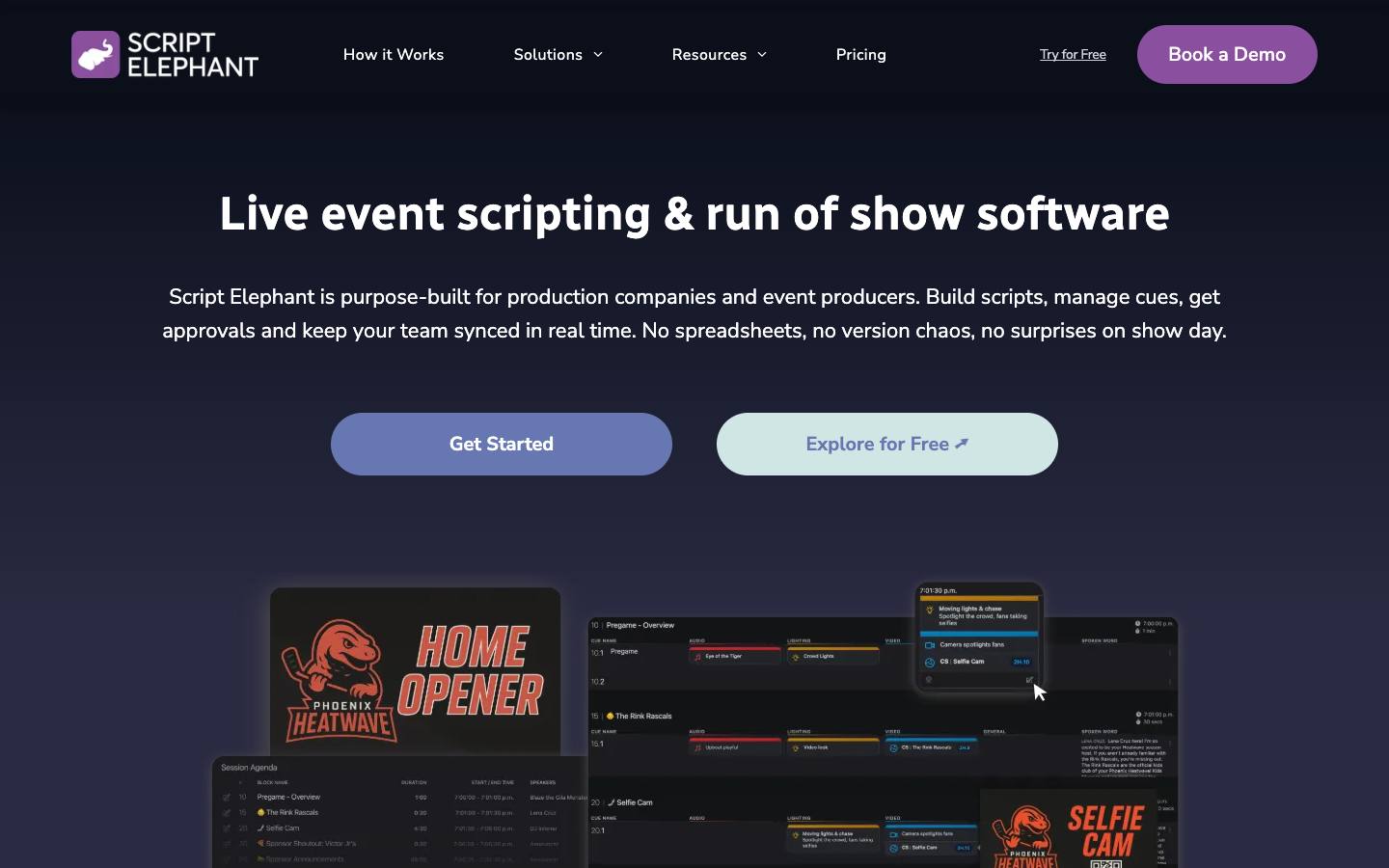
Script Elephant is a cloud tool from an Arizona company for scripting and calling live shows. Writers build the script in blocks, cues for audio, video, lighting and general stage moves sit beside it, and a run of show view filters what each department sees. During the show, live tracking and auto-scroll keep every device on the caller's line.
More on Script ElephantLess on Script Elephant
HQ: Arizona, US (Script Elephant LLC is an Arizona LLC) · Team: 2-10 people · Formats: In-person, Hybrid
Pricing is per production, with no subscription or per-user fees (checked November 2026). One production credit is $649, five are $2,999 and ten are $5,499, and credits don't expire. A production can run up to two weeks with as many sessions as needed, and it locks 48 hours after its end date so there's a record of what was called. A free trial covers one production with text-only cues. Enterprise adds bulk discounts, white labeling, on-call support and private deployment in your own cloud or data center.
Every paid credit includes unlimited users with role-based permissions, shareable public links, a teleprompter with operator controls, live timers, PDF exports and CSV import. Confidential sections hide award winners or surprise reveals from chosen roles, and a graphics workflow handles versions and client approval. Integrations are Slack and Resolume Arena, with Dropbox on Enterprise. Testimonials on its site come from Visit Phoenix, the American Society of Interior Designers and SkillsUSA. It's a small vendor: its homepage counts 168 productions built on the platform, and no security certifications are published.
- Graphics approvals with version control
What stands out
- $649 per production with unlimited users
- Script, cues and teleprompter in one tool
- Confidential script sections
Worth checking
- Per-production price is high for small shows
- Few integrations and no public API
Best suited for. Script Elephant fits association and corporate teams, and the agencies that produce for them, when a show is heavily scripted with awards, voiceovers and graphics. If your show is mostly timed segments with light scripting, Rundown Studio or Ontime costs far less.

5. Stagetimer, best for keeping speakers on time with a remote-controlled stage timer that also works offline
- Price
- $210/yr (Pro)
- Try it
- Free plan
- Languages
- English
- Customers include
- Meta, BBC, IKEA
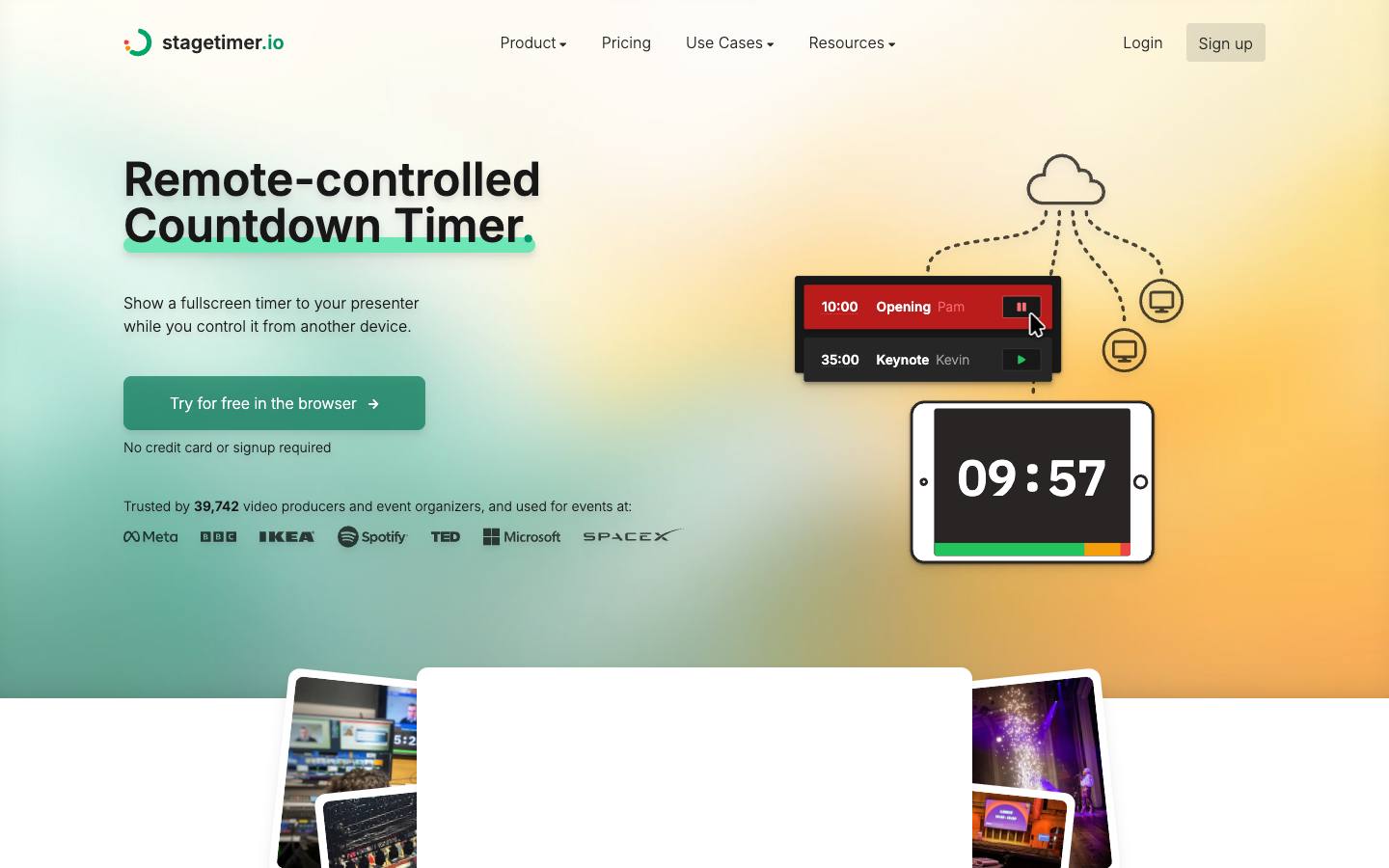
Stagetimer is a remote-controlled countdown timer from Stagetimer GmbH in Stuttgart, Germany. An operator runs the timers from one device while speakers see a fullscreen countdown on the confidence monitor, with wrap-up colors, chimes and messages pushed to the stage. Each room also has a shareable agenda page and a moderator page.
More on StagetimerLess on Stagetimer
HQ: Stuttgart, Germany · Formats: In-person, Virtual, Hybrid, Webinar
It's lighter than a full rundown tool, but it covers the timing part of a run of show: timers can be linked so one starts when the last ends, scheduled for a set time, and imported from a spreadsheet by CSV on paid plans. Pricing is published (checked November 2026). The free Starter tier allows 3 timers and 3 live connections per room. Pro is $210 a year with 50 timers per room and 5 live connections, and Premium is $420 a year with unlimited timers, 50 connections and custom-branded outputs. A 30-day single-event license costs $28 for Pro or $54 for Premium, Enterprise starts at $630, and nonprofits get 20% off.
The desktop app for Windows, macOS and Linux runs a local server, so timers work on a venue network without internet, and a $980 lifetime license unlocks every feature offline. It has a Bitfocus Companion module, a public API and NDI output for vMix and OBS in the desktop app. Its homepage counts more than 40,000 teams. The interface and support are English only, and login has no SAML SSO or two-factor authentication, according to our security research from October 2026.
- Messages and wrap-up signals to the speaker
What stands out
- Free tier, with Pro at $210 a year
- 30-day single-event license from $28
- Offline desktop app with NDI output
Worth checking
- A timer and agenda page, not a full cue sheet
- No SSO or two-factor authentication
Best suited for. Stagetimer fits event teams and AV crews whose main problem is speakers running long, from webinars to multi-room conferences. If you need department cue columns, a prompter or show calling, pick a full rundown tool such as Rundown Studio or Ontime.

6. CueForge, best for turning a client agenda into a technical show flow quickly with AI
From $15/month
- Price
- From $15/month
- Try it
- Free plan, Free trial
- Languages
- English
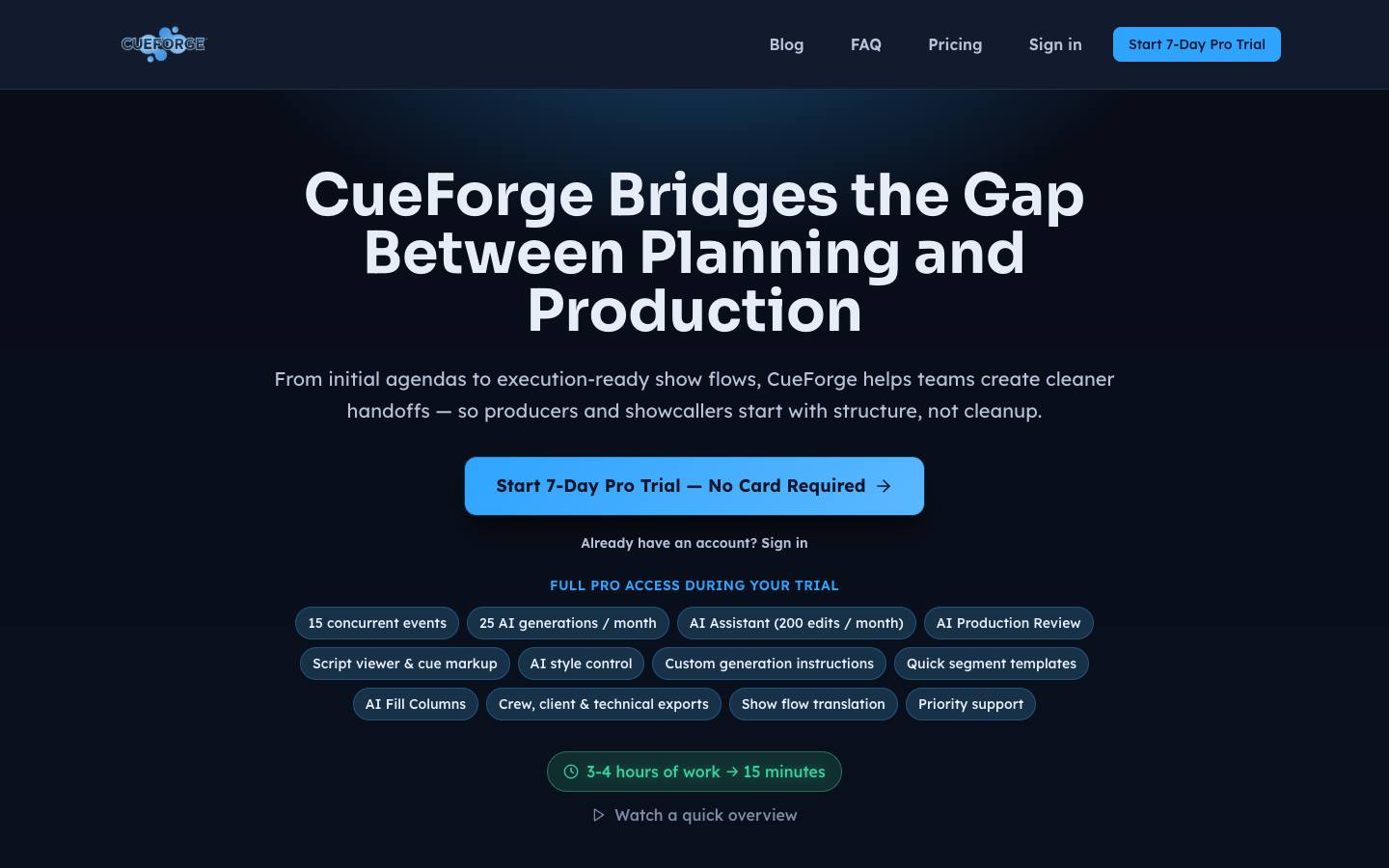
CueForge is a web app for show callers, producers and event teams that turns a client agenda into a technical show flow. You upload a Word, Excel, PDF, CSV or text file and it generates the cue rows, and a multi-room Excel workbook becomes one show flow per room. It's run by a sole proprietor in Ontario, Canada.
More on CueForgeLess on CueForge
Formats: In-person, Hybrid
The useful part comes after the first draft. When the client sends a revised agenda, Update from agenda compares it with the current show flow so you can accept changes without losing production cues, and version history takes a snapshot before every regeneration. A Live View link gives stage managers and crew a read-only page that updates in real time, and a Client link shows a simplified version where clients leave notes on individual cells. Both links can expire on a set date.
Pricing is shown in the app (checked November 2026). Free allows 1 new event a month and 10 AI generations, with Excel and standard PDF export. Pro is $15 a month or $144 a year for up to 15 concurrent events, 25 AI generations and 200 AI assistant edits a month, an AI production review that flags timing risks, separate crew, client and technical PDFs, and translation into more than 20 languages. A Team plan covers 3 to 20 seats at CA$20 per seat a month. New accounts get 7 days of Pro without a credit card. It's a planning tool: it doesn't list show calling, a stage timer, a prompter, an API or show-control integrations.
- Pro at $15 a month, with a free tier
What stands out
- Show flow generated from an uploaded agenda
- Revised agendas merge without wiping cues
- Live View and Client links
Worth checking
- No live show calling, timers or prompter listed
- One-person vendor with no security certifications
Best suited for. CueForge fits freelance show callers, producers and AV companies that receive client agendas as documents and need a clean cue sheet fast. For running the show live with synced timing, look at Rundown Studio, Ontime or LASSO.
7. Joi, best for agencies and planners who want the run of show built from the same program as the agenda
From AUD 50/month
- Price
- From AUD 50/month
- Try it
- Free trial
- Languages
- English
- Customers include
- VPP
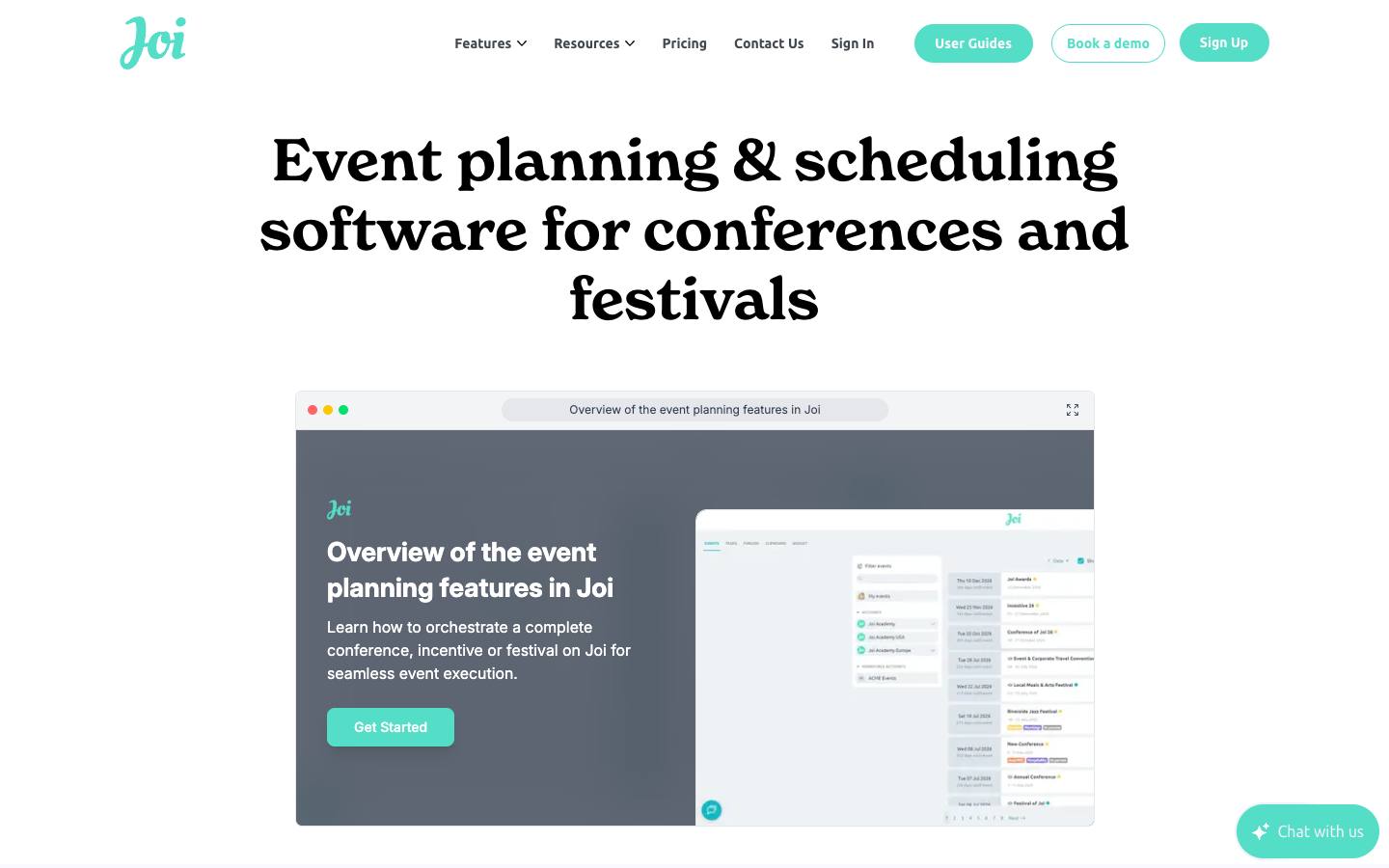
Joi is event planning software from Sydney-based Joi Pty Ltd that builds a conference or festival program once and feeds everything else from it: microsites, an event app, schedules and the run of show. Its run of show builder plans what happens on stage and stays in sync with the program, so a change to a session carries into the show flow.
More on JoiLess on Joi
HQ: Sydney, Australia · Formats: In-person
Around the run of show it adds the supporting production documents. Assets such as an opening video or award trophies can be attached to sessions, schedules and the run of show. Production views list every requirement and request in one place and are shared as web pages, so the venue sees catering details and the AV vendor sees its own list with no version problems. Facilitator notes compile session names, durations and speaker profiles for the MC, and update when the program changes. Schedules for performers, vendors and crew are shared by URL.
Pricing is by active events, not users (checked November 2026): A$50 a month, or US$40, for up to 10 active events, A$112.50 for 25 and A$400 for 100, with every feature on every plan. Users and event workforce are unlimited, billing is monthly with no lock-in, and a 7-day trial needs no credit card. Closed events stop counting and stay readable. It's a planning tool, not a show-calling one: it doesn't list live cue tracking, stage timers, a prompter or show-control integrations, and it names no third-party integrations.
- Production views shared as web pages
What stands out
- Run of show synced with the program
- A$50 a month for up to 10 active events
- Unlimited users on every plan
Worth checking
- No live show calling or stage timers listed
- No named third-party integrations
Best suited for. Joi fits agencies and in-house planners who build the program, the run of show and the budget for many events and want them to stay in sync. Teams that need a caller to advance cues live in front of a crew should pick Rundown Studio or LASSO.

8. MergeLabs, best for event operations teams that need role-specific run sheets for stage, catering and crew from one schedule
$1,000 per event or $5,000/yr
- Price
- $1,000 per event or $5,000/yr
- Languages
- Any left-to-right language for guest-facing content, plus right-to-left and vertical scripts
- Customers include
- Nikon Lenswear
MergeLabs is a German software company based in Schwetzingen, founded in 2023, whose product Cothena is an operations center for on-site event delivery. You build one central schedule, and Cothena generates role-specific run sheets for stage managers, caterers and crew, plus staff schedules, venue agendas and guest itineraries, all kept in sync when a time or location changes.
More on MergeLabsLess on MergeLabs
Founded: 2023 · HQ: Germany (fully remote team) · Formats: In-person
It reaches wider than the stage. A speaker or stage manager can get their own run of show and add notes for the crew, with changes either applied live or held for review, and permissions are set per person and item as read, submit, write or publish. Staff update progress and flag blockers from native iOS and Android apps, organizers see dependencies between activities, and push notifications reach the people a change affects. An AI assistant drafts schedules, tasks and run sheets from a description and waits for approval before changing anything. Whole events can be cloned for the next city on a roadshow.
Pricing is published (checked November 2026): $1,000 for a single event or $5,000 a year for unlimited events on its US dollar price list (€900 and €4,500 in euros), both with unlimited users, run sheets, tasks and the staff app, and onboarding is included. In euros, registration and the guest app are add-ons from €700 and €600 per event and SSO is €4,000 a year, and eligible nonprofits get 15% off. It's an operations tool, not a show-calling one: it doesn't list cue timing that recalculates during a show, stage timers, a prompter or show-control integrations.
- Clone events for roadshows
What stands out
- Role-specific run sheets from one schedule
- $1,000 per event with unlimited users
- Staff apps for progress and blockers
Worth checking
- No live cue timing, timers or prompter listed
- Young company with few public case studies
Best suited for. MergeLabs fits agencies, congress organizers and in-house teams coordinating many suppliers, rooms and staff across a conference, roadshow or delegation trip. If you only need to call a general session cue by cue, a dedicated rundown tool such as Rundown Studio is simpler and cheaper.
Picks 6 to 8 are folded to keep the list short. Open any of them, or compare them all in the table above.
Also worth considering
The best run of show software by use case
Marketing team running one user conference general session a year
Startup, Mid-market
Look at Rundown Studio
$25 per event with unlimited guests
AV team that wants the rundown and timers on a local network
Mid-market, Enterprise
Look at Ontime
free to self-host, with OSC and Companion
Production company calling shows every week with freelance crew
Mid-market, Enterprise
Look at LASSO
unlimited events and Guest Pass viewers
Association awards night with a full script and voiceovers
Startup, Mid-market
Look at Script Elephant
script, cues and prompter per production
Webinar or panel series where speakers run long
Startup, Mid-market, Enterprise
Look at Stagetimer
free tier, or $28 for a 30-day event license
Freelance show caller handed a client agenda two days out
Startup
Look at CueForge
AI drafts the show flow from the file
Planner who wants the run of show to follow agenda changes
Startup, Mid-market
Look at Joi
run of show stays in sync with the program
Roadshow needing stage, catering and crew run sheets in each city
Mid-market
Look at MergeLabs
role-specific run sheets, cloned per city
| If you need | Company size | Look at |
|---|---|---|
| Marketing team running one user conference general session a year | Startup, Mid-market | Rundown Studio$25 per event with unlimited guests |
| AV team that wants the rundown and timers on a local network | Mid-market, Enterprise | Ontimefree to self-host, with OSC and Companion |
| Production company calling shows every week with freelance crew | Mid-market, Enterprise | LASSOunlimited events and Guest Pass viewers |
| Association awards night with a full script and voiceovers | Startup, Mid-market | Script Elephantscript, cues and prompter per production |
| Webinar or panel series where speakers run long | Startup, Mid-market, Enterprise | Stagetimerfree tier, or $28 for a 30-day event license |
| Freelance show caller handed a client agenda two days out | Startup | CueForgeAI drafts the show flow from the file |
| Planner who wants the run of show to follow agenda changes | Startup, Mid-market | Joirun of show stays in sync with the program |
| Roadshow needing stage, catering and crew run sheets in each city | Mid-market | MergeLabsrole-specific run sheets, cloned per city |
What results look like
Figures customers report in the vendors' own published case studies. They describe one customer each, not what every buyer should expect.
213
Users invited
TED with LASSO · Case study
How to choose
Background on what these tools do, how we ranked them and what to check before you buy. Open any topic.
What run of show software actually is (and what it isn't)
Run of show software is where the production team builds and runs the minute-by-minute plan for a show. Each row is a cue or segment with a start time, a duration, an owner and columns for audio, video, lighting, graphics and stage notes. The software works out every start time from the durations, lets a show caller advance through cues live, and pushes the current position, countdowns and any changes to every connected screen. People also call the document a show rundown, a cue sheet or a show flow, and the tools often add stage timers, a teleprompter and exports for print.
It isn't agenda builder software, which creates the attendee-facing program of sessions, tracks, rooms and speakers and publishes it to the website and app. One 45-minute keynote on the agenda can be ten or more rows in the run of show. It isn't event planning software either, which covers the months before the event: budgets, tasks, vendors and timelines. And it isn't a newsroom system for daily TV news, although several tools here are also used for sports and live broadcasts.
For B2B event teams, it does four jobs: it keeps keynotes and general sessions on time, gives each department only the cues it needs, shows speakers how long they have left, and gives the client and crew one live version instead of reprinted spreadsheets.
How we ranked these run of show software tools
We checked each tool against the jobs a show caller, stage manager and AV team need from a run of show, using vendor pricing and product pages, documentation and our security research. Prices were checked on vendor pages in November 2026.
1. Automatic timing
Whether start times recalculate when a duration changes and whether over and under time is tracked during the show, from product pages and documentation.
2. Live show calling and sync
Whether a caller can advance cues while every connected device follows the current position, from vendor feature pages.
3. Timers, prompter and role views
Stage timer or countdown outputs, a built-in teleprompter, and links or views limited by role or column, from vendor pages and docs.
4. Show-control integrations
Named connections such as Bitfocus Companion, OSC, an HTTP or WebSocket API, OBS Studio or NDI, from vendor integration pages.
5. Offline and self-hosted options
Whether the tool runs on a local network without internet or can be self-hosted, from vendor download and pricing pages.
6. Published pricing
The entry price, the billing unit (event, production, user or year) and what the free plan includes, from each vendor's pricing page.
More on our process in the methodology.
What to look for in run of show software
Start with timing. The tool should work out every start time from durations, re-time the rest of the show when a segment runs over, and show how far ahead or behind you are. Rundown Studio, Ontime and LASSO's Rundown all do this live. Then check show calling: can one person advance cues while every other device follows, as Rundown Studio's live tracking, LASSO's Show Caller Tracking and Script Elephant's auto-scroll do?
Next, look at who sees what. A lighting operator needs lighting cues, a client needs a clean overview and a speaker needs a countdown. Look for column-limited or role-based links, a stage timer or timer view, and a prompter if speakers read scripts. Finally, check exports. PDF and CSV or Excel exports matter for the binder backstage and for the post-show record.
Production gear integrations and offline options
Run of show tools connect to production gear in three ways. The first is Bitfocus Companion, which puts cue controls on a Stream Deck: Rundown Studio, Ontime and Stagetimer each have a module. The second is an open protocol or API. Ontime supports OSC, HTTP and WebSocket and can send HTTP or OSC messages when a cue changes, and Rundown Studio has a public HTTP API and WebSocket feed plus setup guides for OBS Studio, ProPresenter, QLab and Softron OnTheAir Video. The third is a video output: Stagetimer's desktop app sends its timer over NDI to vMix or OBS.
If venue internet is a risk, Ontime runs on your own machine or server, Stagetimer's desktop app works offline, and Script Elephant offers private deployment on Enterprise. For cloud-only tools, export a PDF before doors open so a printed copy exists.
What run of show software costs
All eight picks publish prices, and the billing unit matters as much as the number (checked November 2026). Per event or production: Rundown Studio is $25 for 10 days, Stagetimer's 30-day license is $28 or $54, Script Elephant is $649 per production and MergeLabs' Cothena is $1,000 per event. Per month: CueForge Pro is $15, Ontime Cloud is $20 or $80, and Joi starts at A$50 for up to 10 active events. Per year: Stagetimer is $210 or $420, Rundown Studio's Team plan is $600, LASSO's Rundown is $1,099 for one user, $4,150 for five and $7,299 for fifteen, and Cothena is $5,000.
Free options are real: Ontime's self-hosted version is fully featured, and Rundown Studio, Stagetimer and CueForge have free tiers with limits. Watch for add-ons, such as LASSO's Prompter at $1,250 a year, extra users billed per day and SSO priced separately.
Run of show software vs agenda builders and broadcast rundown software
An agenda builder creates the public program: sessions, tracks, rooms and speakers, published to the website and app. Run of show software starts where that ends, breaking each session into cues for the crew. Our agenda builder software guide covers tools such as Sessionboard and Sched, and a few products, such as Joi, do both. Event planning software sits earlier still, with budgets, tasks and vendor timelines.
Broadcast rundown software for newsrooms is a different purchase, built around daily bulletins and scripts. The tools here come from live events, though Rundown Studio, Ontime, LASSO and Script Elephant all list broadcast or sports production among their use cases. A stage timer such as Stagetimer is the lightest option: it times speakers and shows them messages, without department cue columns.
Questions to ask run of show vendors
Does timing recalculate live when a segment runs over, and can we see over and under time? Can the whole crew follow the caller's position on their own devices? Can we limit a link to certain columns for a client, a speaker or one department? Is there a stage timer and a prompter, and are they included or add-ons? How does it connect to Companion, OSC, OBS, vMix or our media server? What happens if the venue internet drops, and can we self-host or run offline? Is pricing per event, per user, per connection or per year, and are guests free? What exports do we get, and how long do we keep access after the show?
When a spreadsheet or a free builder is enough
A single session with one operator doesn't need paid software. A spreadsheet works, and our free run of show builder re-times every row when you change a duration, has presets for keynotes, webinars, field events and executive dinners, and exports to CSV or print. Move to software when several people need the same live version, when cues are split by department, when speakers need a countdown they can see, or when the show changes during rehearsal and reprinting stops being practical. Start with a free tier or a per-event license on one real show before you commit to an annual plan.
Where this fits in your event tech stack
Run of show software sits at the end of the planning chain and the start of the production chain. Upstream, the agenda comes from your agenda builder or event platform, usually as a spreadsheet or CSV that Rundown Studio, Ontime, Script Elephant and Stagetimer can import, or as a document CueForge can read. Downstream, it talks to production gear, not to your CRM: Bitfocus Companion and a Stream Deck for cue control, OBS Studio, vMix or ProPresenter for video and slides, and browser screens for stage timers and prompters. None of the eight lists a native Salesforce or HubSpot connector, and they don't need one. Keep the public agenda as the source for session times, and update the run of show when it changes.
FAQ
What is run of show software?
What's the difference between a run of show and an agenda?
How much does run of show software cost?
What's the best free run of show software?
How does a stage timer work with a run of show?
How does run of show software connect to vMix, OBS or a Stream Deck?
What is a cue sheet, and is it the same as a show flow?
Can run of show software work without internet?
Pick the run of show tool that fits your show
Count how many shows you run a year and who needs to see each one.
Decide whether you need live show calling or only a shared document.
Check how it connects to your timers, prompter and production gear.
Compare per-event, per-user and annual prices.
Then run one real rehearsal on a free tier before you commit.
Ready? Build your shortlist in two minutes, or try the free run of show builder.
Get a free shortlistKeep reading
Related buyer's guides
How-to guides
Ratings link to their source and are shown as published on the date of our last check. Read our methodology.