Best Event Badge Printing Software in 2027: The Buyer's Shortlist
By EventMarketingSoftware.com · Published October 18, 2026 · 14 tools compared
For most B2B events, Fredo, Eventpack and Accelevents lead this list. Fredo ships a complete badge printing kit with its own mobile data and syncs with Cvent, Swoogo and Bizzabo. Eventpack supports Zebra, Epson and Brother printers from $6,000 a year. Accelevents pairs Zebra and Epson support with kiosks inside a full event platform.
Our top picks
- 1
 Fredo (formerly Ticketbutler)Best for teams that want a complete printing kit shipped to the venue without building their own setupQuote only
- 2
 EventpackBest for teams that want Zebra, Epson and Brother support with published annual pricingFrom $6,000/year
- 3
 AcceleventsBest for teams that want kiosk badge printing inside a full registration and event platformFrom $7,500/event
Key takeaways
- Printer support varies more than buyers expect. Accelevents is built for Zebra ZD series printers, Eventleaf names Brother, Zebra and Windows models, Eventpack supports Zebra, Epson and Brother, Guest Manager supports only Brother QL-series printers, and CrowdPass rents the Zebra ZC10L for full-color PVC cards.
- Hardware comes three ways. Fredo, Swoogo's Go Box, Bizzabo's Bizzabox and the Accelevents Onsite Kit ship preconfigured kits, Gevme and RefTech supply kiosks and staff, and Eventpack and Eventleaf leave printers to you.
- Nine of the 14 picks publish prices, checked October 2026. Eventleaf is free up to 100 attendees a year and then from $1 per attendee, Guest Manager starts at $39 a month, CrowdPass at $99 a month, Canapii at $2,950 a year, Eventpack at $6,000 a year, Accelevents at $7,500 for one event and Swoogo at $11,800 a year. Bizzabo and Gevme publish platform prices too, but onsite kits and kiosks aren't priced on their pages.
- Throughput depends on the setup as much as the software. Canapii says badges print in an average of 3.2 seconds, Fredo cites roughly 15 seconds per check-in, and Wicket says its facial check-in lanes handle up to 2,400 attendees an hour.
- Your registration platform shapes the choice. Cvent OnArrival, Swoogo and Accelevents print straight from their own registration data, while Fredo, Validar and RefTech sit beside other platforms, with Fredo syncing from Cvent, Swoogo, Bizzabo, Eventbrite and more.
Free tool: Name badge generator. Turn an attendee CSV into print-ready name badges on standard insert and label sizes, with an optional contact QR code. Your list never leaves your browser.
Side-by-side comparison
The same criteria for every pick: named printer support, hardware supply, self-service kiosk mode, registration data source, published pricing, security documentation. A dash means the vendor doesn't publish it.
| Tool | Starting price | Free plan / trial | CRM | Capterra | App Store | Security |
|---|---|---|---|---|---|---|
| Fredo (formerly Ticketbutler) | Quote only | – | Salesforce, HubSpot | – | – | DPA |
| Eventpack | From $6,000/year | – | Salesforce, HubSpot | ★ 4.7 (3) | ★ 5.0 (1) | – |
| Accelevents | From $7,500/event | Free trial | Salesforce, HubSpot, Marketo | ★ 4.7 (164) | ★ 3.7 (23) | SOC 2 Type II, ISO 27001, SAML SSO |
| Gevme Onsite | From $1,050/year | Free plan | – | ★ 4.1 (11) | – | – |
| Canapii Kiosk | From $2,950/year | – | – | ★ 4.4 (19) | ★ 3.0 (4) | – |
| Eventleaf | From $1/attendee | Free plan, Free trial | Salesforce, HubSpot, Marketo | ★ 4.8 (185) | ★ 4.2 (6) | – |
| Cvent OnArrival | Quote only | – | – | ★ 4.5 (1099) | ★ 4.8 (40,670) | – |
| Swoogo | From $11,800/year | – | Salesforce, HubSpot, Marketo | ★ 4.7 (82) | ★ 2.7 (75) | ISO 27001, SAML SSO, DPA |
| Validar | Quote only | – | Salesforce | – | ★ 5.0 (4) | – |
| CrowdPass | From $99/month | – | Salesforce, HubSpot | ★ 4.3 (13) | – | SOC 2 Type II |
| RefTech | Quote only | – | HubSpot | – | – | ISO 27001 |
| Wicket | Quote only | – | – | ★ 4.5 (4) | ★ 5.0 (6) | SOC 2 Type II, ISO 27001, DPA |
| Bizzabo | From $499/user | – | Salesforce, HubSpot, Marketo | ★ 4.4 (171) | ★ 4.6 (14) | SOC 2 Type II, ISO 27001 |
| Guest Manager | From $1/ticket | Free trial | – | ★ 4.0 (2) | ★ 4.8 (203) | DPA |
On-demand badge printing means printing each attendee's badge at the moment they check in, instead of pre-printing alphabetized badges weeks ahead. It cuts waste from no-shows, handles name changes and walk-ins, and puts current registration data on the badge, including the QR code that exhibitors scan for leads. The software side covers badge design, templates by attendee type, kiosk and staffed check-in, and printer drivers. The hardware side covers thermal label printers, color card printers and kiosk stands, which some vendors ship and others leave to you.
This guide compares 14 products that print badges on site, from specialist kits and kiosk providers to registration platforms with strong badging modules. Product details come from our own vendor profiles and each vendor's website, checked in October 2026, including which printer brands each one names. Check-in apps without strong badging live in our separate check-in guide.
Who this guide is for. This guide is for event managers, event operations leads and registration teams running B2B conferences, user conferences, trade shows and corporate events where every attendee needs a printed name badge. It's also for agencies choosing a badging partner for clients, and for teams already on a registration platform who want to know whether to use its built-in badging or add a specialist. If you only need to scan tickets or tick names off a guest list, a check-in app is simpler and cheaper.
Not sure which one fits your team?
Answer a few questions about your events, team and CRM and get a free shortlist of tools that fit, with pricing and security details side by side.
Get a free shortlistThe best badge printing software in 2027
We compare 14 badge printing products, ordered by fit for on-demand printing at B2B conferences and trade shows. Specialist kits and kiosk providers come first, followed by registration platforms with strong badging modules, onsite service providers for large or high-profile events, and a low-cost label option for small events. For each pick, check named printer support, who supplies the hardware and how attendee data reaches the badge.
1. Fredo (formerly Ticketbutler), best for teams that want a complete printing kit shipped to the venue without building their own setup
- Price
- Quote only
- Syncs with
- Salesforce, HubSpot
- Security
- DPA
- Customers include
- CAP Partner, Optimeet, Insurtech Insights
Fredo, previously Ticketbutler, is a Copenhagen provider of check-in and on-demand name badge printing for B2B conferences, expos and corporate events. Its package bundles badges, portable label printers, check-in phones with their own mobile data, attendee list syncing, worldwide shipping and support. It's sized for events from about 50 to 15,000 attendees.
More on Fredo (formerly Ticketbutler)Less on Fredo (formerly Ticketbutler)
Founded: 2015 · HQ: Copenhagen, Denmark · Team: 11-50 people · Formats: In-person
Fredo began as Ticketbutler, founded in 2017 in Copenhagen, and launched under the Fredo name with its badge printing offer in October 2025. It has 11 to 50 employees. Pricing comes from an online calculator that builds a per-event quote covering software, printers, phones, badges, shipping and support in EUR, USD, GBP or DKK, and kits can be leased for one event or across a program. Customers include Semrush, SAE Media Group, NDC Conferences, LeadDev, GlobalData, TechBBQ and World Football Summit.
Check-in takes roughly 15 seconds per attendee, staff can register walk-ins and correct names, companies or titles at the desk, and self check-in is optional. Attendee lists sync from Cvent, Swoogo, Bizzabo, Brella, Lyyti, Luma, Tito, Eventbrite, Stova, EventsAir, Salesforce and HubSpot, with Zapier for others, though no public API is documented. Badge stock includes 320gsm laminated A6 or A7 cards, plantable seed badges and custom shapes, and exhibitors can scan badges for leads. Data is hosted in Belgium and Germany under a public DPA, and support runs 24/7 by phone and email, with onsite staff as an upgrade. It doesn't name its printer models.
- Exhibitors and sponsors can scan badges for leads, and walk-ins and name corrections are handled at the desk
What stands out
- Self-contained kit with its own mobile data, so check-in doesn't depend on venue Wi-Fi
- Syncs attendee lists from Cvent, Swoogo, Bizzabo, Brella, Lyyti, Luma, Tito, Eventbrite, Salesforce, HubSpot and more
- Badge stock options include 320gsm laminated A6 or A7 cards, plantable seed badges, clip holders and custom shapes
Worth checking
- Pricing comes from a per-event quote calculator, and it doesn't name its printer models
- A point solution for check-in and badging, not a registration platform
Best suited for. Fredo fits B2B conference and expo teams running events of about 50 to 15,000 attendees that want a ready-to-run badging kit shipped to the venue, whatever registration platform they use. If you want to own your printers or keep badging inside your registration platform, look at Eventpack, Accelevents or Swoogo.
2. Eventpack, best for teams that want Zebra, Epson and Brother support with published annual pricing
- Price
- From $6,000/year
- Capterra
- 4.7/5 from 3 reviews
- App Store
- 5.0/5 from 1 ratings
- Syncs with
- Salesforce, HubSpot
- Customers include
- MMS, Alpha Kappa Psi, Event Tech Live
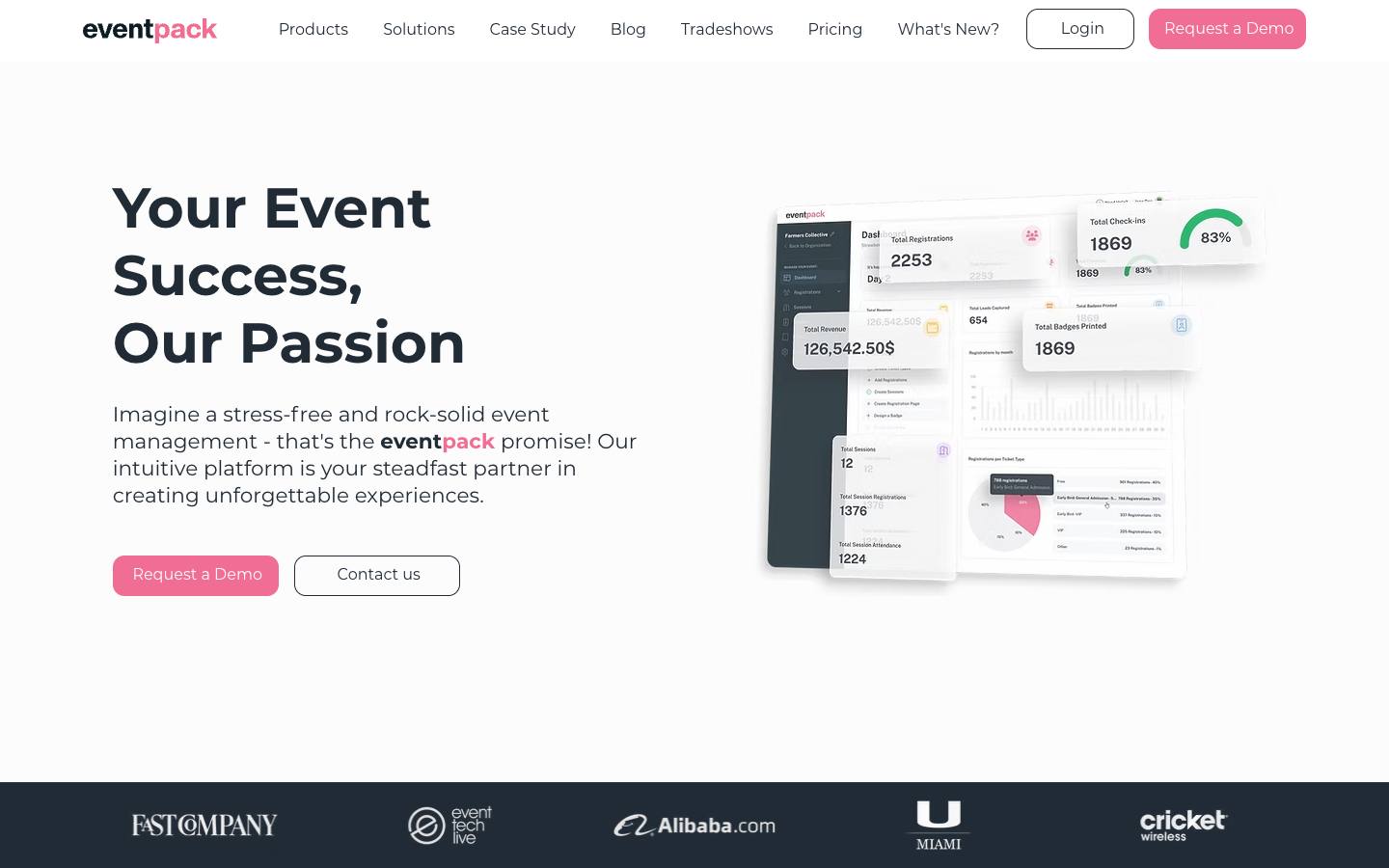
Eventpack is an in-person event platform from the team that built Boomset. Its Onsite Hub, included in both base plans, runs check-in on iOS with on-demand badge printing, kiosk mode and offline mode. Registration, sessions, sponsors, an attendee app and lead retrieval are available as paid hubs.
More on EventpackLess on Eventpack
HQ: Miami, FL · Formats: In-person
Eventpack is based in Miami and was built by the team behind Boomset, the check-in platform later acquired by Hopin. It publishes prices: Core is $6,000 a year with unlimited events and registrations, 1,500 check-in credits and 3 admin seats, and Enterprise is $12,000 a year with unlimited admins, 3,000 credits, 24/7 support and a dedicated CSM (pricing page, checked October 2026). Extra check-ins cost $2 each, lead retrieval licenses $300 each and the Integration Hub $1,500 a year. Capterra shows 4.67 from 3 reviews.
The Onsite Hub, included in both plans, is a native iOS check-in app with on-demand printing, kiosk mode and offline mode. Badges print on Brother, Epson, Zebra and other printers, including color models, on stock from thermal labels to tear-resistant and plastic cards, and branded kiosks can filter by ticket type and sell last-minute tickets. Registration, sessions, sponsor portals and the attendee app are paid hubs, and the Integration Hub adds an API, webhooks and Swoogo and Zapier connections, with HubSpot and Salesforce sync named on its homepage. Customers include Fast Company, Event Tech Live, Alibaba and the University of Miami.
- Core plan at $6,000 a year with unlimited events and 1,500 check-in credits, per its pricing page checked October 2026
What stands out
- Badges work with Brother, Epson, Zebra and other printers, including color printers
- Badge stock from thermal labels to tear-resistant and plastic cards, designed in its badge editor
- Branded self-service kiosks that can filter by ticket type and sell last-minute tickets
Worth checking
- Printers and other hardware are rented or bought separately
- Check-ins are metered by credits, and registration and the attendee app are add-ons
Best suited for. Eventpack fits associations, agencies and B2B teams that want broad printer support and offline check-in at a published annual price. If you'd rather have hardware shipped and managed for you, Fredo or Swoogo's Go Box will be simpler.
3. Accelevents, best for teams that want kiosk badge printing inside a full registration and event platform
- Price
- From $7,500/event
- Try it
- Free trial
- Capterra
- 4.7/5 from 164 reviews
- App Store
- 3.7/5 from 23 ratings
- Languages
- English
- Syncs with
- Salesforce, HubSpot, Marketo
- Security
- SOC 2 Type II, ISO 27001, SAML SSO
- Customers include
- University of Waterloo, Carnival Cruise Line, Payoneer
Accelevents is an event management platform covering registration, agenda, exhibitors, mobile app, check-in and lead capture. Attendees scan a QR code at an iPad kiosk, confirm their details and print their own badge, while staff handle walk-ups and edits at assisted desks. Several kiosks can share one printer setup.
More on AcceleventsLess on Accelevents
Founded: 2015 · HQ: Boston, MA · Team: 51-200 people · Formats: In-person, Virtual, Hybrid, Webinar
Accelevents was founded in 2015 in Boston and has 51 to 200 employees and $5.1 million raised according to CB Insights. It publishes starting prices: Professional from $7,500 for one event and Business from $13,500 for unlimited events, with self check-in and badge printing on every plan, while Enterprise and White Label are quoted (pricing page, checked October 2026). Capterra shows 4.73 from 164 reviews, and customers include Amazon Robotics, Zapier, Deloitte and Carnival Cruise Line.
Printing is built for Zebra ZD series thermal printers such as the ZD420 and ZD620, which connect directly to the admin app, and color printers, including Epson models, connect through a Windows laptop running PrintNode. Attendees scan a QR code at an iPad kiosk, confirm details and print their own badge, staffed desks handle walk-ups, and several kiosks can share one printer setup. The Onsite Kit ships iPads, a printer, badge stock and a router for black-and-white events under 1,000 attendees. Native connectors cover Salesforce, HubSpot, Marketo, Oracle Eloqua and Cvent, its security page states SOC 2 Type 2 and ISO 27001, and support runs 24/7 on all plans.
- Badges pull names, companies, ticket types and QR codes from registration records
What stands out
- Built for Zebra ZD series thermal printers such as the ZD420 and ZD620, which connect directly to the admin app
- Color printers, including Epson models, connect through a Windows laptop running PrintNode
- Onsite Kit ships iPads, a printer, badge stock and a router for events under 1,000 attendees printing in black and white
Worth checking
- Plans start from $7,500 for a single event, per its pricing page checked October 2026
- It doesn't supply printers directly outside the Onsite Kit; teams often rent them
Best suited for. Accelevents fits mid-market and enterprise teams that want registration, kiosks and badge printing in one platform with published starting prices. If you're happy with your current registration platform, a specialist such as Fredo or Validar adds badging without switching.

4. Gevme Onsite, best for self-service kiosks with facial recognition and ID scanning at large events
- Price
- From $1,050/year
- Try it
- Free plan
- Capterra
- 4.1/5 from 11 reviews
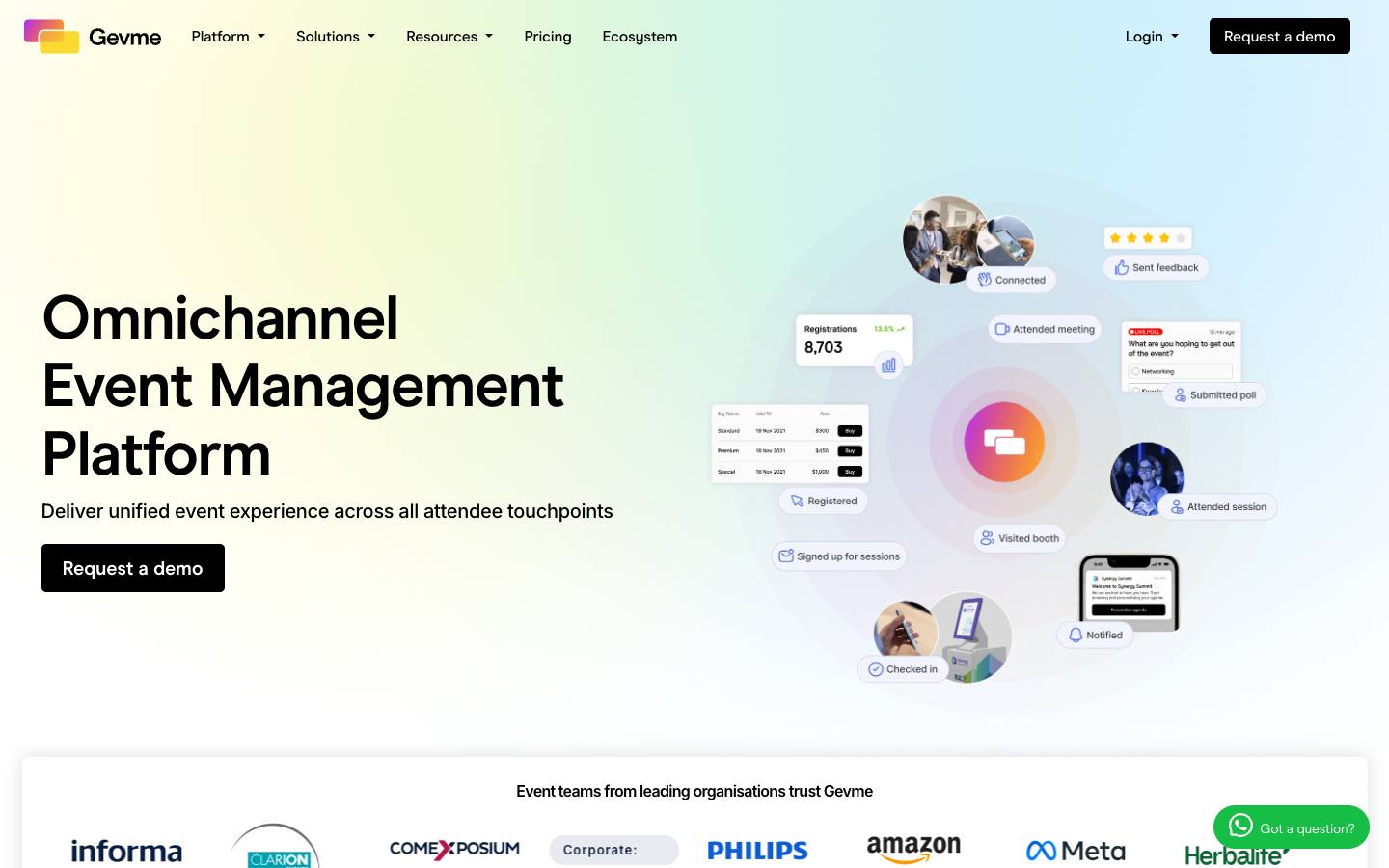
Gevme is a Singapore event platform whose Onsite product covers check-in kiosks, a hardware-agnostic check-in app, a badge designer and on-demand printing. Attendees can check in with a QR code, facial recognition or an ID card, at a kiosk or a staffed desk, and badges print automatically as they check in.
More on Gevme OnsiteLess on Gevme Onsite
HQ: Singapore · Team: 51-200 people · Formats: In-person
Gevme was founded in 2006 in Singapore, has 51 to 200 employees and has offices in the US, the Philippines, China, India and Australia. Onsite is priced separately from registration and from its omnichannel plans, which start free for websites and virtual venues and then cost from $1,050 a year for Starter and $2,400 for Pro, with kiosk hardware booked on top (pricing page, checked October 2026). Capterra shows 4.09 from 11 reviews. Customers include the Singapore Fintech Festival, Informa, Messe Berlin, CloserStill, Tarsus, Amazon and Meta.
Attendees check in by QR code, facial recognition or ID card, and badges print automatically. Hardware comes in three setups: a standing paperboard kiosk, a tabletop kiosk with an optional wireless sticker printer and a counter set. The badge editor offers preset or custom sizes and assigns the right design to each ticket type, badges can carry a QR code that shares contact details, and kiosk screens include ad space you can sell to sponsors. Security documentation is broad for its size, with ISO 27001, 27017 and 27018 and SOC 2 Type II. Native CRM connectors aren't listed, so syncs lean on Zapier, webhooks or its Cvent, Bizzabo and Eventbrite integrations.
- Kiosk screens include ad spaces that can be sold to sponsors
What stands out
- Three hardware setups: a standing paperboard kiosk, a tabletop kiosk with an optional wireless sticker printer, and a counter set
- Badge editor with preset or custom sizes and rules that assign the right badge to each ticket type
- Badges can carry a QR code that shares the attendee's contact details
Worth checking
- Onsite is priced separately from registration, and kiosk hardware is booked on top
- Support footprint is concentrated in Asia-Pacific
Best suited for. Gevme fits large events, government agencies and exhibition organizers, especially in Asia-Pacific, that want self-service kiosks with face and ID check-in. Teams in North America that need native Salesforce or HubSpot sync should compare Accelevents or Swoogo.

5. Canapii Kiosk, best for tech and channel events that want fast kiosk printing with face match
- Price
- From $2,950/year
- Capterra
- 4.4/5 from 19 reviews
- App Store
- 3.0/5 from 4 ratings
Canapii is an event platform used heavily by technology vendors for partner and customer events. Its check-in combines self-service kiosks for peak arrivals with staffed desks for VIPs and walk-ins, using QR codes, name search or face match. Badges print on demand at check-in, which Canapii says averages 3.2 seconds per badge.
More on Canapii KioskLess on Canapii Kiosk
Founded: 2020 · HQ: Singapore · Team: 11-50 people · Formats: In-person
Canapii was founded in 2020 in Singapore by former tech-industry event leaders, including the ex-CEO of Canalys, and has 11 to 50 employees. Essential costs $2,950 a year for up to 300 attendees and unlimited events, Professional (800 attendees) and Enterprise (3,500) are quoted, and a free 7-day trial covers 20 attendees; badge printing and kiosks are the only optional add-on (pricing page, checked October 2026). Capterra shows 4.42 from 19 reviews, and customers include HP, Lenovo, Adobe, Acer, TD SYNNEX and Informa.
It says badges print in an average of 3.2 seconds. It works with standard badge and label printers, using your own hardware or Canapii's, and kiosks are configured and updated remotely from one dashboard. The drag-and-drop badge designer supports QR codes, session tracks and layouts by attendee type, and designs can be changed mid-event. Registration, websites and the app translate automatically into 70+ languages, which helps multinational partner events. Native Salesforce, HubSpot and Marketo integrations come with every paid plan, it holds ISO 27001, and data is hosted on AWS in Ireland, though it doesn't name specific printer brands or models.
- Essential plan at $2,950 for up to 300 attendees, per its pricing page checked October 2026
What stands out
- Works with standard badge and label printers, using your own hardware or Canapii's
- Drag-and-drop badge designer with QR codes, session tracks and layouts by attendee type, editable mid-event
- Kiosks are configured and updated remotely from one dashboard
Worth checking
- Plans are capped by attendee count, with larger events on custom pricing
- It doesn't name specific printer brands or models
Best suited for. Canapii fits tech vendors and channel organizations running partner and customer events of up to a few thousand attendees that want fast kiosk printing and a published entry price. Events beyond 3,500 attendees, or teams that need named printer models, should compare Accelevents or Eventpack.

6. Eventleaf, best for budget-conscious teams that want named printer support and a free starting tier
From $1/attendee
- Price
- From $1/attendee
- Try it
- Free plan, Free trial
- Capterra
- 4.8/5 from 185 reviews
- App Store
- 4.2/5 from 6 ratings
- Syncs with
- Salesforce, HubSpot, Marketo
- Customers include
- Columbia University, Sysco, Accenture
Eventleaf, from Jolly Technologies, combines registration, check-in, badge printing, engagement and exhibitor tools with per-attendee pricing. It prints badges in advance or on site, individually or in bulk, on labels or PVC cards, and offers a self-service kiosk and QR check-in.
More on EventleafLess on Eventleaf
Founded: 2012 · HQ: Redwood City, CA · Formats: In-person, Hybrid, Virtual
Eventleaf is made by Jolly Technologies of Redwood City, California, which also makes the Lobbytrack visitor system. It publishes per-attendee pricing: Starter is free for up to 100 attendees a year with badge printing, Basic is $1 per attendee ($500 a year for 500), Professional is $2 per attendee and adds session check-ins, polls and the attendee app, and Ultimate is quoted (pricing page, checked October 2026). Every plan includes unlimited events and users with no contract, and payment processing adds 1% to 4%. Capterra shows 4.8 from 185 reviews.
It names its printer support: AirPrint printers such as the Brother QL-820NWB, Zebra Link-OS Wi-Fi printers such as the ZD400, ZD420 and ZD600, and Windows desktop printers. Badges print in advance or on site, singly or in bulk, on labels or PVC cards, and the designer supports templates by attendee type and session QR codes. Customers include Columbia University, MIT, Sysco and Worldpay. Salesforce, HubSpot and Marketo integrations, SSO and lead retrieval sit on Ultimate, and its security credentials are PCI DSS 4.0.1 and the EU-US Data Privacy Framework, with ISO 27001 in progress.
- Unlimited events and users on every plan
What stands out
- Names its printer support: AirPrint printers such as the Brother QL-820NWB, Zebra Link-OS Wi-Fi printers such as the ZD400, ZD420 and ZD600, and Windows desktop printers
- Badge designer with different templates by attendee type and session QR codes
- Free for up to 100 attendees a year, then from $1 per attendee, per its pricing page checked October 2026
Worth checking
- CRM integrations, SSO and lead retrieval are on the quote-based Ultimate plan
- Fewer enterprise security credentials than larger platforms; ISO 27001 is in progress
Best suited for. Eventleaf fits universities, associations and smaller B2B teams that want named printer support and transparent per-attendee pricing with a free start. Enterprise teams that need CRM sync and formal security reports from day one should look at Accelevents or Swoogo.

7. Cvent OnArrival, best for teams already on Cvent registration that want badging in the same suite
Quote only
- Price
- Quote only
- Capterra
- 4.5/5 from 1,099 reviews
- App Store
- 4.8/5 from 40,670 ratings
OnArrival is Cvent's onsite check-in and badge printing app. Its badge designer applies different layouts for VIPs, sponsors, speakers and staff and previews each badge before printing. Badges print on demand at staffed desks or self-service kiosks, with options for enclosed kiosk setups, thermal badge boxes and sustainable badge materials.
More on Cvent OnArrivalLess on Cvent OnArrival
Founded: 1999 · HQ: Tysons Corner, VA · Team: 5,001-10,000 people · Formats: In-person
OnArrival is part of Cvent's event cloud. Cvent was founded in 1999, is based in Tysons Corner, Virginia, and has been owned by Blackstone since a reported $4.6 billion take-private in 2023. Pricing isn't published; products are licensed individually under Professional (15 users) or Enterprise (unlimited users, API and SSO) tiers, and Enterprise includes an OnArrival license. Cvent Event Management shows 4.48 from 1,099 Capterra reviews (checked October 2026).
Because OnArrival reads Cvent registration data directly, there's no separate attendee sync to maintain. The badge designer handles logos, brand colors and layouts by attendee type with a preview before printing, and check-in runs at staffed desks or self-service kiosks with session tracking in the same app. Options include enclosed kiosk setups, thermal badge boxes and sustainable badge materials. Attendance then feeds Cvent reporting, LeadCapture and native connectors to Salesforce, Marketo Engage, HubSpot and Microsoft Dynamics. Compliance includes SOC 1, SOC 2 Type II, ISO 27001 and 27701 and PCI DSS Level 1, and support runs 24/7 in 12 languages. Customers across the suite include 6sense, Cognizant and Hitachi Energy.
- Broad compliance portfolio across the Cvent suite, including SOC 2 and ISO 27001
What stands out
- Uses Cvent registration data directly, with no separate attendee sync
- Badge designer with logos, brand colors and layouts by attendee type
- Kiosk and staffed check-in plus session tracking in one app
Worth checking
- Pricing isn't published, and modules are licensed separately
- Most valuable if Cvent is already your registration platform
Best suited for. Cvent OnArrival fits teams already running registration on Cvent that want badging in the same suite with enterprise compliance. If you're not on Cvent, a platform-agnostic option such as Fredo or Validar avoids buying into the whole suite.

8. Swoogo, best for registration-led teams that want preconfigured printing hardware in a box
From $11,800/year
- Price
- From $11,800/year
- Capterra
- 4.7/5 from 82 reviews
- App Store
- 2.7/5 from 75 ratings
- Syncs with
- Salesforce, HubSpot, Marketo
- Security
- ISO 27001, SAML SSO, DPA
- Customers include
- Australian Catholic University, Trimble, Atlassian
Swoogo is a registration and event website platform whose Go Onsite check-in app is included in every plan. Go Onsite Pro adds kiosk mode, QR or name lookup and VIP arrival alerts, and a drag-and-drop designer assigns badge designs by attendee type. Go Box ships preconfigured hardware that prints badges out of the box.
More on SwoogoLess on Swoogo
Founded: 2015 · HQ: Los Angeles, US · Team: 51-200 people · Formats: In-person, Virtual, Hybrid, Webinar
Swoogo was founded in 2015 in Los Angeles, with offices in Sydney and London, and has raised about $20 million. Professional costs $11,800 a year for one full user with unlimited events and registrations and includes the Go Onsite check-in app, while Go Onsite Pro, extra seats and Enterprise are quoted (pricing page, checked October 2026). Capterra shows 4.72 from 82 reviews, and customers include Atlassian, DocuSign, Twilio, OpenAI and Alaska Airlines.
Go Onsite Pro adds kiosk mode, QR or name lookup and VIP arrival alerts, and a drag-and-drop designer assigns badge designs by attendee type. Go Box ships preconfigured hardware that prints badges out of the box, with most teams set up in about 30 minutes; it's built for events under 1,000 attendees, and larger events use professional services. Badge data comes straight from Swoogo's registration logic, and 30+ native integrations, including Salesforce, HubSpot, Marketo and Validar, come at no extra fee. Security documentation includes SOC 2, ISO 27001 and 27701 and PCI DSS Level 1, and support promises a first response within 15 minutes during business hours.
- SOC 2, ISO 27001 and PCI DSS Level 1 among its certifications
What stands out
- Go Box hardware is preconfigured for Go Onsite, with most teams set up in about 30 minutes
- Badge designs assigned dynamically to different attendee types
- Check-in app included in all plans; Professional costs $11,800 a year, per its pricing page checked October 2026
Worth checking
- Go Box is built for events under 1,000 attendees; larger events use professional services
- Kiosk mode and advanced onsite tools sit in the paid Go Onsite Pro tier
Best suited for. Swoogo fits registration-led marketing teams running many events a year that want badging tied to their registration data and hardware that arrives ready. Events above 1,000 attendees, or teams that don't want Swoogo registration, should compare Validar or Fredo.
9. Validar, best for large user conferences that want on-demand printing tied to engagement and lead data
Quote only
- Price
- Quote only
- App Store
- 5.0/5 from 4 ratings
- Languages
- English
- Syncs with
- Salesforce
- Customers include
- AWS, Salesforce, Red Hat
Validar provides the onsite data layer for corporate events. Its vCheckin product handles onsite registration and on-demand badge printing, and it's designed to sit alongside whichever registration platform you already use. The same badges feed vCapture lead retrieval, session tracking and engagement scoring.
More on ValidarLess on Validar
Founded: 2005 · HQ: Seattle, United States · Formats: In-person
Validar was founded in 2005 and is based in Seattle. Pricing isn't published and evaluation runs through a demo, with license packs mentioned in its FAQ. Customers are weighted toward large technology user conferences, including AWS, Salesforce, Red Hat, Splunk, Twilio, Cloudflare, Nutanix and Stripe. Implementation is full-service, with Validar staff running check-in and badge printing at each event.
vCheckin handles onsite registration and on-demand printing beside whichever registration platform you use, and the same badges feed vCapture lead retrieval at your own events and third-party shows, session and meeting tracking, and EventScore gamification on the EventHub attendee web app. Engagement data is pushed into marketing systems afterwards, and leads import to Salesforce through Validar's AppExchange package. The vCapture app holds 5.0 from 4 App Store ratings. Its site doesn't name printer models or registration integrations, shows a SOC badge without a report type and still carries a 2024 copyright, so confirm the current roadmap and setup in a demo.
- Customer base weighted toward large technology user conferences
What stands out
- Registration-platform agnostic, so it can be added to an existing stack
- Badge scans feed lead retrieval for sponsors and exhibitors and session attendance
- Engagement data is pushed back into marketing systems after the event
Worth checking
- No published pricing
- Printer models and named integrations aren't listed on its site; confirm your setup
Best suited for. Validar fits large user conferences that want staffed, on-demand badging tied to lead retrieval and engagement scoring without changing registration platforms. Smaller events that want to run printing themselves will spend less with Eventpack, Eventleaf or Fredo.

10. CrowdPass, best for full-color PVC badges and NFC credentials at high-profile events
From $99/month
- Price
- From $99/month
- Capterra
- 4.3/5 from 13 reviews
- Syncs with
- Salesforce, HubSpot
- Security
- SOC 2 Type II
- Customers include
- Amazon Music, Coors Light, Fontainebleau Miami
CrowdPass is an onsite event operations platform covering registration, ticketing, badge printing, QR and NFC entry and lead retrieval. Its print stations use the Zebra ZC10L to print full-color, edge-to-edge PVC badges on demand from iPad check-in, and it rents those printers for events.
More on CrowdPassLess on CrowdPass
Founded: 2015 · HQ: New York, US · Team: 11-50 people · Formats: In-person
CrowdPass was founded in 2015 in New York, has 11 to 50 employees and lists Plug and Play Ventures as an investor. Starter costs $99 a month for unlimited attendees, two users and QR access control, Pro costs $999 a month and adds badge printing, NFC pairing, API access and an account manager, and Enterprise has a $10,000 annual minimum; annual commitments save 10%, and single-event pricing is available on request (pricing page, checked October 2026). Capterra shows 4.31 from 13 reviews.
Its print stations use the Zebra ZC10L to print full-color, edge-to-edge PVC badges on demand from iPad check-in, and CrowdPass rents those printers for events. Badges carry names, QR codes and event details and can be paired with NFC credentials, wristbands and readers for zone-level access control, with live attendance analytics across entry points. Integrations cover Salesforce, HubSpot, Cvent, Eventbrite, Pipedrive and Slack, plus Zapier, a REST API and webhooks, and its site shows a SOC 2 Type II attestation. Customers include Google, Uber One, Amazon Music, Audi, Coca-Cola, Dior and Harvard. NFC hardware costs aren't published.
- Starter plan at $99 a month, with badge printing on Pro at $999 a month, per its pricing page checked October 2026
What stands out
- Zebra ZC10L printer rentals for durable full-color card badges
- Badges carry names, QR codes and event details, and can be paired with NFC
- Integrations with Salesforce, HubSpot, Cvent and Eventbrite
Worth checking
- Badge printing and NFC pairing aren't on the entry plan
- Enterprise plans carry a $10,000 annual minimum
Best suited for. CrowdPass fits high-profile corporate and brand events that want durable full-color badges and NFC access control on a monthly plan. Teams printing simple thermal labels at scale can spend less with Eventleaf or Eventpack.
11. RefTech, best for UK exhibitions and conferences that want unmanned self-print stations
Quote only
- Price
- Quote only
- Languages
- English
- Syncs with
- HubSpot
- Security
- ISO 27001
- Customers include
- Wheldon Events, ACA Live, Hallgarten & Novum Wines
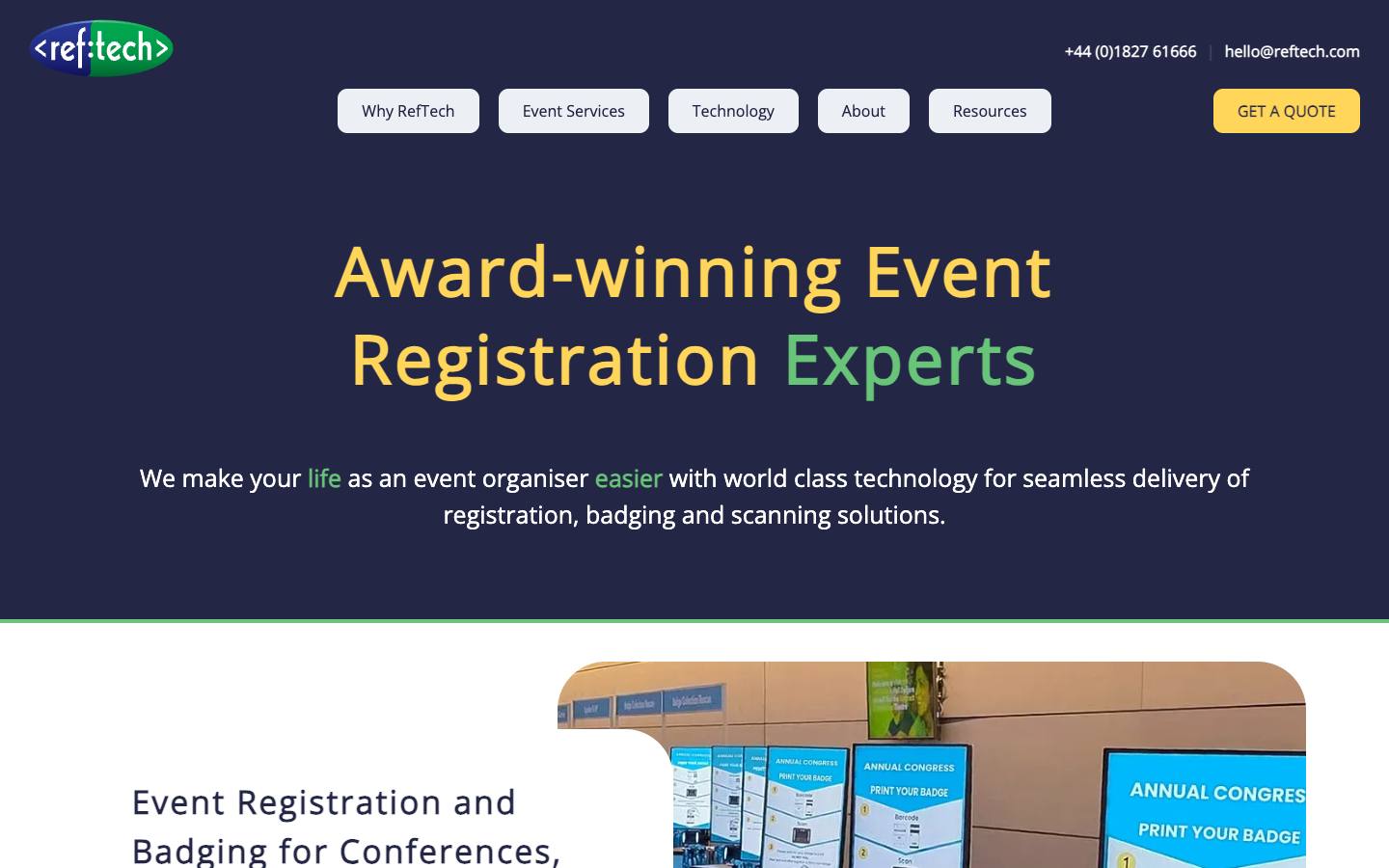
RefTech pairs its EventReference registration platform with onsite badging, scanning and lead capture, delivered self-service or as a managed service. Its PrintPods are freestanding, brandable stations where visitors scan a barcode and print their own badge, which also marks them as attended for that day.
More on RefTechLess on RefTech
Founded: 2002 · HQ: Tamworth, Staffordshire · Team: 11-50 people · Formats: In-person
RefTech (Reference Technology Ltd) was founded in 2002 in Tamworth, Staffordshire, UK, has 11 to 50 employees and cites more than 6,000 projects in over 40 countries. Pricing is quoted per project, depending on services and onsite support, with no contract. Customers include Haymarket Media Group, Diabetes UK, Euromoney Conferences, Clarion, Microsoft and BMW, and US events are delivered with partner Realise from Florida.
PrintPods are freestanding, brandable stations where visitors scan a barcode and print their own badge, which also marks them as attended for the day, and live attendance figures come from every PrintPod. Three onsite modes cover single-user printing, fast-track barcode scan and print, and staffed look-up and print, and full-color badges handle long names and accented characters. WebBadging lets teams design and print their own low-cost badges. The EventReference registration platform, ScanPod session scanning, lead capture and a hosted buyer portal sit alongside. It holds company-wide ISO/IEC 27001:2022 certification and stores data in the EEA, and integrations with EventsAir, Grip, HubSpot and VenuIQ run on its REST API.
- Live attendance figures from every PrintPod
What stands out
- Three onsite modes: single-user printing, fast-track barcode scan and print, and staffed look-up and print
- Full-color badges printed on demand in seconds, with support for long names and accented characters
- WebBadging for teams that design and print their own low-cost badges
Worth checking
- No public pricing; quotes depend on services and onsite support
- Mainly UK-based, though it works in over 40 countries
Best suited for. RefTech fits UK and European exhibitions and conferences that want unmanned self-print stations backed by experienced onsite staff. North American corporate teams that want self-serve software and native Salesforce sync should compare Accelevents or Swoogo.

12. Wicket, best for very large conferences that want facial check-in to trigger badge printing
Quote only
- Price
- Quote only
- Capterra
- 4.5/5 from 4 reviews
- App Store
- 5.0/5 from 6 ratings
- Security
- SOC 2 Type II, ISO 27001, DPA
- Customers include
- Salesforce, University of Florida, Mercedes-Benz Stadium
Wicket provides opt-in facial authentication for event check-in, session access and credentialing. Attendees enroll with a selfie before the event, then walk through express lanes where face recognition checks them in and prints their badge automatically. Large tech conferences use it to shorten lines and stop badge sharing.
More on WicketLess on Wicket
Founded: 2020 · HQ: Doylestown, Pennsylvania · Team: 11-50 people · Formats: In-person
Wicket was founded in 2020 in Cambridge, Massachusetts, and has 11 to 50 employees. Pricing isn't published, and it holds a 4.5 rating from 4 Capterra reviews (checked October 2026). Customers include Salesforce for Dreamforce, NVIDIA for GTC, PCMA, RainFocus and Zscaler, along with sports teams such as the Cleveland Browns and Major League Soccer.
Attendees enroll with a selfie before the event, optionally linked to a government ID, then walk through express lanes where face recognition checks them in and prints their badge automatically, and Wicket says each lane handles up to 2,400 attendees an hour. The same enrollment scans attendees in and out of reserved sessions with timestamps for continuing education reporting. Organizers set how long biometric data is kept, enrollment is opt-in, and no live video is recorded. It holds SOC 2 Type 2 and ISO 27001 (since April 2023), and its privacy policy covers CCPA, Illinois BIPA, Texas CUBI and Colorado biometric rules. It complements rather than replaces a registration platform.
- Used at events such as Dreamforce and NVIDIA GTC
What stands out
- Express lanes it says process up to 2,400 attendees per lane per hour
- Automatic badge printing on facial check-in, with less floor space needed for check-in
- Face-based session scanning with timestamps for CE reporting
Worth checking
- No published pricing, and it targets large enterprise events
- Depends on attendees opting in to biometric enrollment, so plan a standard lane as well
Best suited for. Wicket fits very large conferences where check-in lines and badge sharing are real problems and legal teams are comfortable with opt-in biometrics. Most events under a few thousand attendees will be better served by QR kiosks from Accelevents, Canapii or Gevme.
13. Bizzabo, best for Bizzabo customers that want a do-it-yourself printing kit or smart badges
From $499/user
- Price
- From $499/user
- Capterra
- 4.4/5 from 171 reviews
- App Store
- 4.6/5 from 14 ratings
- Languages
- English
- Syncs with
- Salesforce, HubSpot, Marketo
- Security
- SOC 2 Type II, ISO 27001
- Customers include
- Compass, DJI, HubSpot
Bizzabo is an event management platform for B2B conferences and field events. Its onsite software covers check-in and badge printing, and the Bizzabox rental ships iPads, stands, badge printers and routers for organizers who set up their own equipment. Klik SmartBadge wearables add contactless lead retrieval and interaction data.
More on BizzaboLess on Bizzabo
Founded: 2011 · HQ: New York, United States · Formats: In-person, Virtual, Hybrid, Webinar
Bizzabo was founded in 2011 in New York and has raised $194 million through a Series E according to CB Insights. List pricing is $499 per user a month billed annually with a 3-user minimum, or from $17,999 a year, with unlimited events and registrations, and Klik badges, advanced onsite, CRM integrations and SSO are quoted add-ons (pricing page, checked October 2026). Capterra shows 4.37 from 171 reviews, and customers include HubSpot for INBOUND, Phenom and Inductive Automation.
The Bizzabox rental ships iPads, stands, badge printers and routers for events of 1,000 or fewer attendees, so teams can run printing themselves from Bizzabo's check-in software. Klik SmartBadges are wearables that support contactless lead exchange, check-in, gamification and passive attendee tracking with live analytics, and since May 2025 they've been sold stand-alone for events on other platforms. Native CRM connectors cover Salesforce, HubSpot, Marketo and Pardot. Security documentation includes a SOC 2 Type 2 report under NDA, ISO 27001 and PCI DSS SAQ D v4, and support runs 24/7/365 with onsite support available.
What stands out
- Bizzabox kit for events of 1,000 or fewer attendees
- Klik SmartBadge wearables for contactless lead exchange and attendee tracking, usable with other platforms
- Native CRM integrations including Salesforce, HubSpot, Marketo and Pardot
Worth checking
- Priced from $499 per user a month with a three-user minimum, per its pricing page checked October 2026
- Annual term required, with Klik badges quoted separately
Best suited for. Bizzabo fits teams already on Bizzabo, or buying a full event platform, that want a do-it-yourself printing kit or wearable smart badges. If you only need badge printing for another registration platform, Fredo or Eventpack is a lighter purchase.
14. Guest Manager, best for small events that need simple name labels on low-cost Brother printers
From $1/ticket
- Price
- From $1/ticket
- Try it
- Free trial
- Capterra
- 4.0/5 from 2 reviews
- App Store
- 4.8/5 from 203 ratings
- Security
- DPA
- Customers include
- Levi's Stadium Family Day, Lululemon, Eventvibe
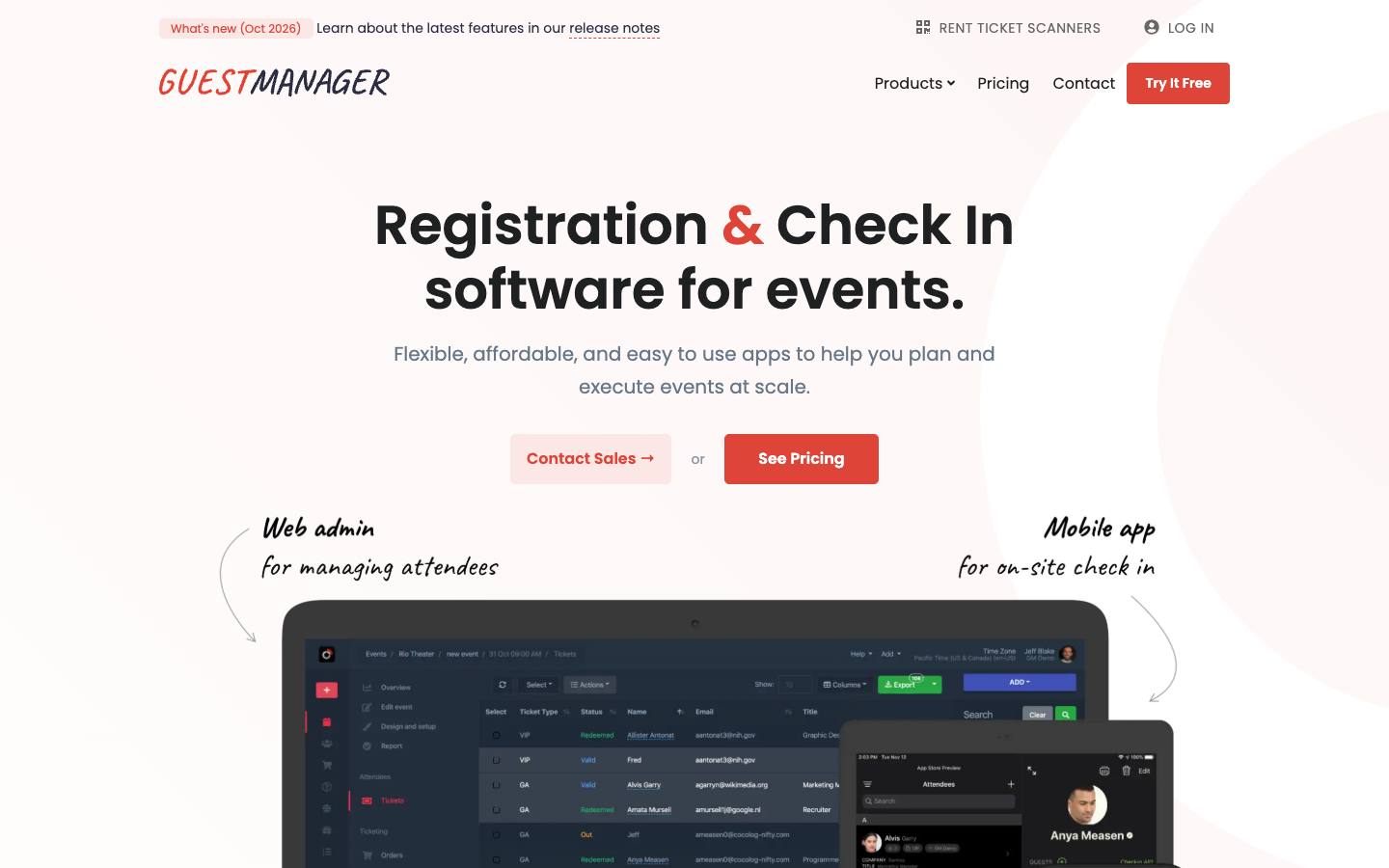
Guest Manager is check-in and ticketing software used since 2011 for corporate events, conferences and galas. Badge printing runs from its iOS app to a Brother QL-series label printer, printing the attendee's name plus up to two custom fields. Pricing mixes monthly plans and pay-as-you-go credits.
More on Guest ManagerLess on Guest Manager
HQ: Zephyr Cove, NV · Formats: In-person
Guest Manager has run check-in and ticketing since 2011 and is based in Zephyr Cove, Nevada. Pricing mixes plans and credits: On Demand credit packs start at $30 for 100 credits, Planner is $39 a month billed annually ($468 a year) with 3,600 credits and 4 devices, Professional is $79 a month with 9,600 credits and Concierge is $199 a month with 24,000 credits and unlimited devices (pricing page, checked October 2026). Each check-in, email, badge or SMS uses a credit, and the first 50 check-ins are free. The iPad app holds 4.75 from 203 App Store ratings.
Badge printing supports only Brother QL-series label printers, with the QL-820NWB recommended and the QL-810W supported over Wi-Fi or Bluetooth; Zebra, Dymo and USB-only Brother models don't work. Two to four iPads can share one printer, and badges show the attendee's name plus up to two custom fields in a fixed layout, so you can't change fonts, alignment or orientation. Check-in works offline across devices, and ticket scanners can be rented. Customers include Lululemon, the CMA Awards, TEDxVancouver and the US Conference of Mayors. There's a public REST API and a downloadable DPA, but no named CRM connectors or security certifications.
What stands out
- Supports the Brother QL-820NWB (recommended) and QL-810W over Wi-Fi or Bluetooth
- Two to four iPads can share one printer over Wi-Fi
- Plans from $39 a month billed annually, with each badge using one credit, per its pricing page checked October 2026
Worth checking
- Zebra and Dymo printers aren't supported, and USB-only Brother models don't work
- Badge layout is fixed: you can't change fonts, alignment or orientation
Best suited for. Guest Manager fits small corporate events, receptions and conferences that need simple name labels on low-cost Brother printers with pay-as-you-go pricing. Conferences that need designed badges, kiosks or lead retrieval QR codes should choose Eventleaf, Eventpack or Accelevents.
Picks 6 to 14 are folded to keep the list short. Open any of them, or compare them all in the table above.
Also worth considering
Jomablue, Certain Arrive, hapily, Diobox, zkipster, Check-in Pax, Snafflz, Connect Space, TicketRoot, Eventdrive, Bitpod Event, aanmelder.nl, Invitario, Vivenio
The best badge printing software by use case
| If you need | Company size | Look at |
|---|---|---|
| Conference team on any registration platform that wants a kit shipped to the venue | Startup, Mid-market, Enterprise | Fredo (formerly Ticketbutler)printers, phones with mobile data and badges in one package |
| Association or university buying its own Brother or Zebra printers | Startup, Mid-market | Eventleafnamed printer support and a free tier up to 100 attendees |
| Marketing team that wants registration and kiosk printing in one platform | Mid-market, Enterprise | AcceleventsZebra kiosk printing on every plan from $7,500 |
| Government or Asia-Pacific exhibition checking in by face or ID | Mid-market, Enterprise | Gevme Onsitekiosks with facial recognition and ID scanning |
| Team already running registration on Cvent | Mid-market, Enterprise | Cvent OnArrivalno separate attendee sync |
| Tech user conference that wants staffed badging tied to lead retrieval | Enterprise | Validarbadges feed vCapture and engagement scoring |
| Brand event that wants full-color PVC badges and NFC access | Mid-market, Enterprise | CrowdPassZebra ZC10L rentals and NFC pairing |
| UK exhibition that wants unmanned self-print stations | Mid-market, Enterprise | RefTechPrintPods that also record attendance |
What results look like
Figures customers report in the vendors' own published case studies. They describe one customer each, not what every buyer should expect.
6,000
Attendees
CAP Partner with Fredo (formerly Ticketbutler) · Case study
8,500 in 3 days
Leads captured
MMS with Eventpack · Case study
23,500
Registrants
University of Waterloo with Accelevents · Case study
393% ahead
Lead generation vs KPI
Australian Catholic University with Swoogo · Case study
1,472
New leads
Amazon Music with CrowdPass · Case study
1,400
Delegates
Wheldon Events with RefTech · Case study
How to choose
Background on what these tools do, how we ranked them and what to check before you buy. Open any topic.
What badge printing software actually is (and what it isn't)
Badge printing software prints each attendee's name badge at the moment they check in, instead of pre-printing alphabetized badges weeks ahead. It pulls the latest registration record, applies the right design for the attendee type, adds a QR code or barcode, and sends the job to a thermal label printer or color card printer at a staffed desk or self-service kiosk. That cuts waste from no-shows and keeps name changes, walk-ins and badge codes in sync with registration.
It isn't the same as an event check-in app, which finds guests fast and records arrival but may print only a basic label or nothing at all. It isn't a badge scanner either: lead retrieval apps and badge scanners read the badge later, though the code you print decides whether their scans return a full attendee record. Many event registration platforms include a badging module, while specialists add kits, kiosks and onsite staff on top of the platform you already use.
For B2B event teams, the jobs are designing badges by attendee type, keeping arrival lines short at peak times, handling walk-ins and corrections at the desk, printing codes that work with exhibitor lead retrieval and session tracking, and deciding whether to own, rent or have hardware shipped.
How we ranked these badge printing software tools
We ordered these products by fit for on-demand badge printing at B2B conferences and trade shows, from specialist kits to platforms and onsite services. Each criterion can be checked on vendor pages or in our research files.
1. Named printer support
We recorded the printer makes and models each vendor names on its own pages, and noted where none are named.
2. Hardware supply
We checked whether the vendor ships kits, rents printers, provides kiosks and staff, or leaves hardware to you.
3. Self-service kiosk mode
We checked product pages for kiosk check-in where attendees print their own badge.
4. Registration data source
We recorded whether badges print from the vendor's own registration or from named registration-platform connectors.
5. Published pricing
We recorded prices from each vendor's pricing page in October 2026 and marked the rest as quote-only.
6. Security documentation
We checked security pages and trust centers for SOC 2, ISO 27001 and PCI DSS, as recorded in our procurement research.
More on our process in the methodology.
What to look for in badge printing software
Start with the data source. The software should pull attendee records from your registration platform, either because it's the registration platform or through a sync that updates during the event, so last-minute changes reach the badge. Then check the badge designer: templates by attendee type (attendee, speaker, sponsor, staff, VIP), variable fields, logos, color, and a QR code or barcode. Check the arrival flow next: self-service kiosks for peak times, staffed desks for exceptions, walk-in registration, name edits and reprints. Finally, check resilience. Offline mode or a kit with its own mobile data, as Fredo provides, protects you when venue Wi-Fi fails at 8:30 a.m.
Printer compatibility: Zebra, Epson and Brother
Printer support varies more than most buyers expect, so ask for the exact models. Thermal label printers are the norm for black-and-white badges: Accelevents is built for Zebra ZD series printers such as the ZD420 and ZD620, Eventleaf supports Zebra Link-OS Wi-Fi printers and the Brother QL-820NWB, and Guest Manager supports only Brother QL-series printers and not Zebra or Dymo. Color badges need a different class of printer: Accelevents connects Epson color printers through a Windows laptop running PrintNode, Eventpack names Brother, Epson and Zebra with native color printing, and CrowdPass prints full-color PVC cards on the Zebra ZC10L. If you already own printers, confirm they're on the supported list and check the label or card stock part numbers, not just the width.
Badge design and QR codes for lead retrieval
A badge does two jobs: it tells people who someone is from across a booth, and it carries the code that exhibitors scan. Put the first name in the largest type, then company and title, and keep attendee type visible with color or a band. Print a QR code or barcode linked to the registration record so official lead retrieval apps return the full attendee profile, and test it with your lead retrieval provider before the show. Gevme can encode the attendee's contact details in the badge QR code, and Canapii and Eventleaf add session or track data. Camera-based lead capture apps that read the printed name and company benefit from clear, high-contrast text too.
Kiosks, kits and who supplies the hardware
Vendors split three ways on hardware. Some ship everything: Fredo bundles printers, phones with data, badges and shipping, while Accelevents' Onsite Kit, Swoogo's Go Box and the Bizzabox ship preconfigured iPads, printers and routers for events of about 1,000 attendees or fewer. Some provide kiosks and staff: Gevme offers standing and tabletop kiosks, RefTech offers PrintPod self-print stations, and Wicket runs facial check-in lanes. Others are software-first and expect you to buy or rent printers, as Eventpack and Eventleaf do. For your first event with a new tool, renting a tested kit usually costs less than troubleshooting your own hardware on site.
Questions to ask vendors
Which printer makes and models do you support, for thermal labels and for color cards? Do you supply or rent hardware, and what does shipping and setup include? How does attendee data reach the badge, and how quickly do registration changes sync during the event? Does check-in keep working offline, and how many devices can share one printer? Can badge designs vary by ticket type and be changed mid-event? What goes into the QR code, and has it been tested with the lead retrieval provider at our shows? How fast is a typical check-in-to-badge time at our expected peak? Is pricing per attendee, per check-in credit, per event or annual?
How much does badge printing software cost?
Published prices, checked October 2026, range widely by model. Per-attendee and credit pricing suits smaller events: Eventleaf is free for up to 100 attendees a year and then from $1 per attendee, and Guest Manager starts at $39 a month with one credit per badge printed. Entry plans on event platforms with badging include Canapii at $2,950 for up to 300 attendees, Eventpack at $6,000 a year and Accelevents from $7,500 for a single event. Swoogo's Professional plan is $11,800 a year, and CrowdPass puts badge printing on its $999-a-month Pro plan. Fredo, Validar, Cvent, RefTech and Wicket quote per event or program. Budget separately for printers, badge stock, shipping and onsite staff, which often cost as much as the software.
Badge printing software vs. check-in apps
Every badge printing tool includes check-in, but not every check-in app prints good badges. Check-in apps focus on finding the attendee fast and recording arrival, often by scanning a ticket QR code, and they're ideal for receptions, galas and events where a name tag is optional. Badge printing software adds the parts that matter at conferences and trade shows: a badge designer, printer drivers for thermal and color printers, kiosk printing at volume, and badges that carry codes for lead retrieval and session tracking. If you need badges for every attendee, start with this list; if you mainly need fast door check-in, see our guide to event check-in apps.
Where this fits in your event tech stack
Badge printing sits at the handoff between registration and everything that happens on the show floor. Upstream, it reads attendee records from the registration platform, either natively (Cvent OnArrival, Swoogo, Accelevents, Bizzabo) or through syncs with platforms such as Cvent, Swoogo, Bizzabo and Eventbrite (Fredo, Validar). Downstream, the code printed on each badge drives lead retrieval for exhibitors, session attendance tracking and access control, and those scans flow back to the registration record and on to the CRM and marketing automation platform. Agree on badge layout, QR format and data fields with your registration, lead retrieval and session scanning vendors before you print the first badge.
FAQ
What is on-demand badge printing?
What printer do I need for event badge printing?
How do I use my own printers with badge printing software?
How fast is on-site badge printing?
What should a conference name badge include?
How do self-service badge kiosks work?
How much does badge printing software cost?
What's the difference between badge printing software and a check-in app?
Get a free badge printing software shortlist
Reading reviews only gets you so far. The right pick depends on your events, your team and the systems it has to sync with.
Our shortlist finder asks a few questions and matches you with tools that fit, using the same verified data as this guide.
You'll see published prices, security documents and CRM integrations side by side, and you can save tools to compare later.
It's free, there's no sign-up, and no vendor gets your details.
Ready? Build your shortlist in two minutes, or try the free name badge generator.
Get a free shortlistKeep reading
How-to guides
Ratings link to their source and are shown as published on the date of our last check. Read our methodology.